27
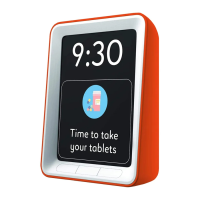
Editing or deleting reminders
If you’ve set a reminder you wish to change or delete:
1. Press the left and right outer buttons at the same time to
access the Reminder Overview screen.
2. Use the middle button to navigate down to the reminder you
want to change. Press the right button to edit.
3. Make the changes to the reminder or select
‘delete reminder’ from the list to delete.
4. Once you’ve made changes select ‘Back’ to return back to
the Reminder Overview screen and ‘Back’ once again to
return to the clock screen.
Changing Settings
Alongside setting the time and date, your clock has a wide
range of settings that you can personalise to suit your
preferences. To change settings:
1. Press the left and right outer buttons at the same time to
access the Reminder Overview Screen.
2. Press the middle button twice so ‘Setup Menu’ is highlighted.
3. Press the right button marked ‘OK.’ You are now in the setup
menu.


 To Next Page