7 USB12A
(Red)
USB 3.2
Connectors
(Dual-Stacked,
Type A)
These two Universal Serial Bus (USB) ports are
available for connecting USB 3.2 devices.
9 LAN2 2.5G LAN
(RJ-45)
Connectors
This port allows 2.5G connection to a Local Area
Network (LAN) through a network hub. Refer to the
table below for the LAN port LED indications.
ACT/Link LED Speed LED
Status Description Status Description
OFF No link OFF
10/100Mbps
connection
Orange Linked Green
1Gbps
connection
Blinking
Data
activity
Orange
2.5Gbps
connection
10 LAN1 2.5G LAN
(RJ-45)
Connectors
This port allows 2.5G connection to a Local Area
Network (LAN) through a network hub. Refer to the
table below for the LAN port LED indications.
ACT/Link LED Speed LED
Status Description Status Description
OFF No link OFF
10/100Mbps
connection
Orange Linked Green
1Gbps
connection
Blinking
Data
activity
Orange
2.5Gbps
connection
8 AUDIO
(Pink)
Microphone port This port connects a microphone.
11 AUDIO
(Green)
Line-out port
This port connects a headphone or a speaker.
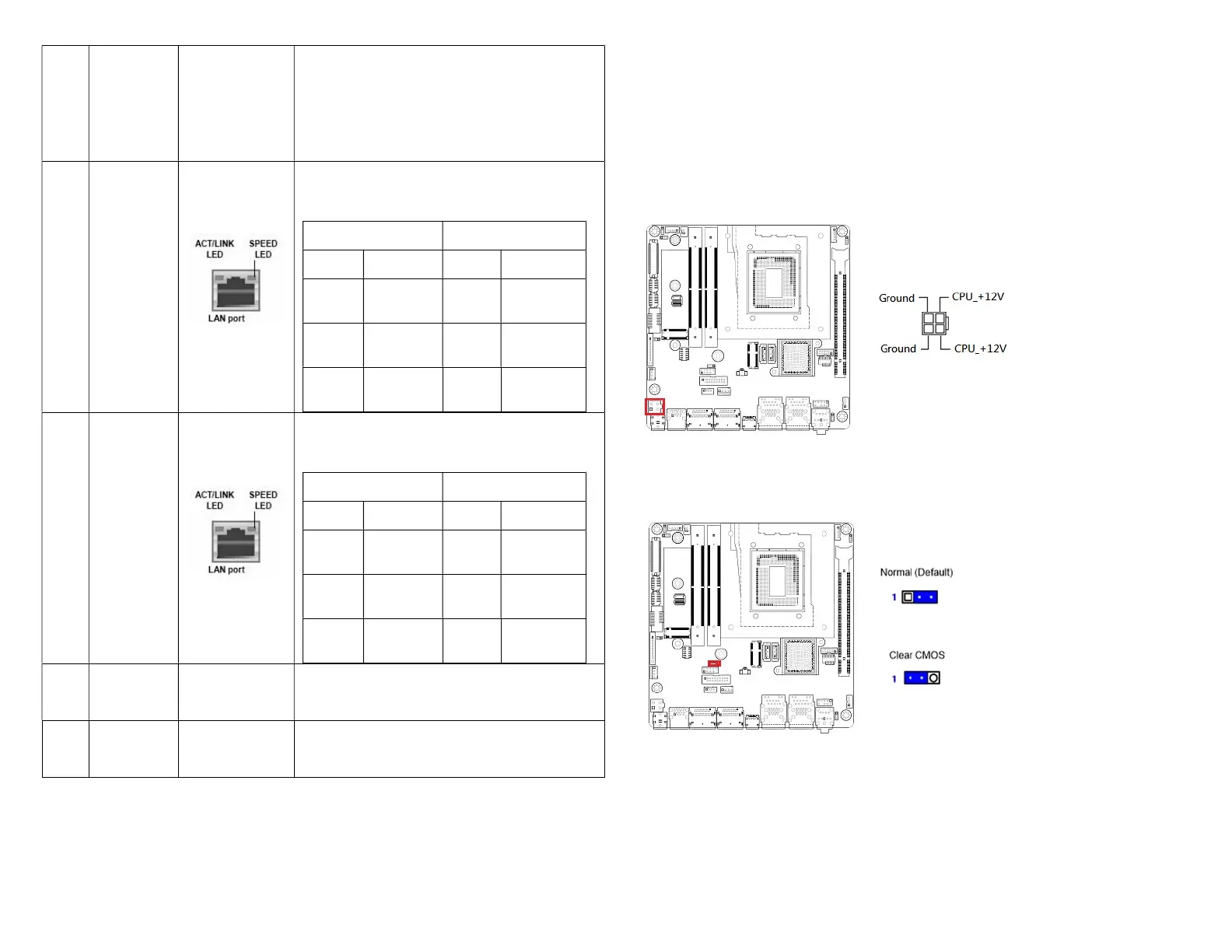
Jumpers, Connectors, & Headers:
• ATX 4-Pins Power Connector (12V~24V, A PSU with 23A min (34A for CPU
peak current) on its “12V2” rail (for connecting with this 2x2 connector) is
recommended): ATX12V1
(Use only either the “DC-IN” connector at rear I/O, or this connector for
power connection of MX680RD).
• Clear CMOS Jumper: CLCMOS1



 To Next Page