| 9
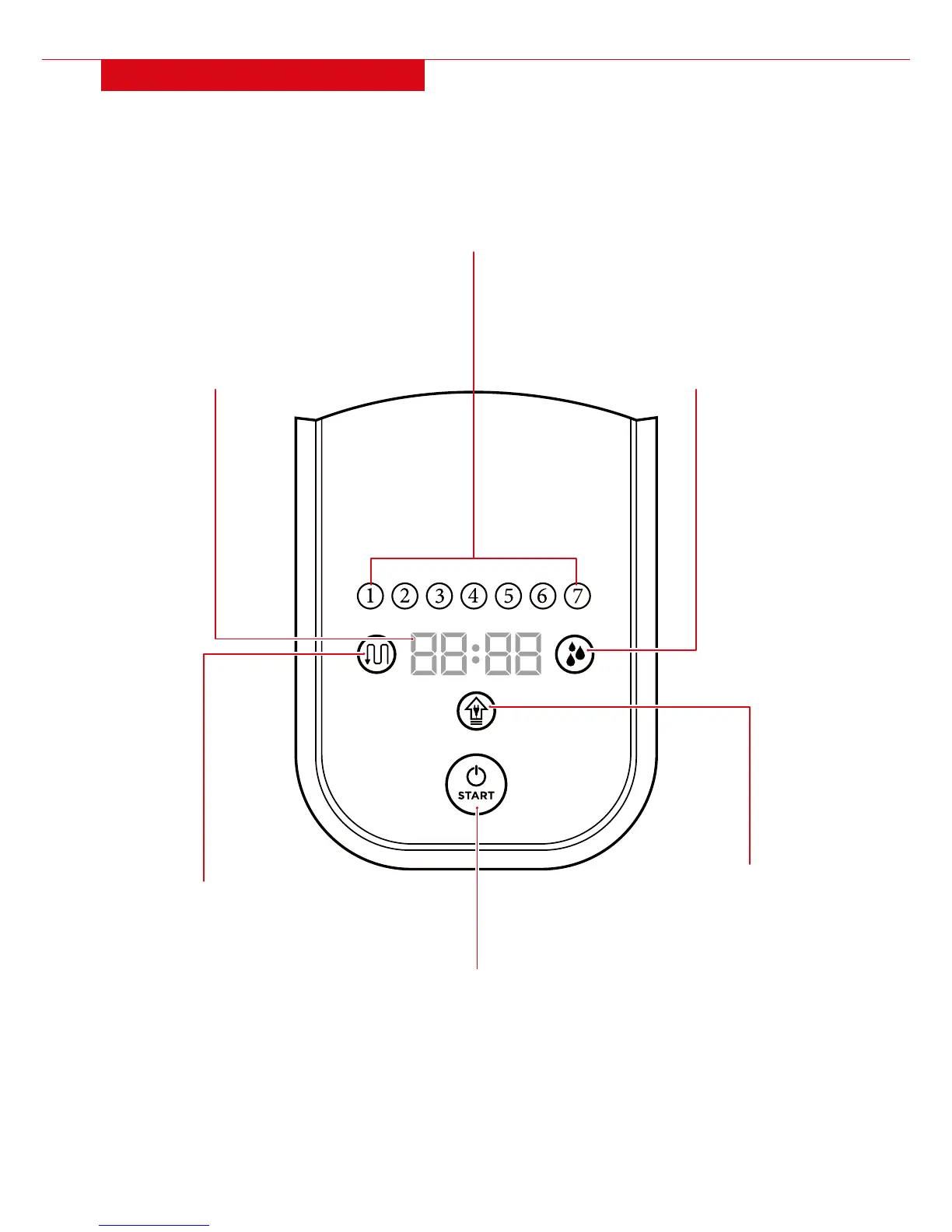
PANEL/DISPLAY SCREEN
START/STOP CLEANING:
Press this button to start/stop
automatic cleaning or mopping.
Cleaning will continue until batteries
are low, then it will automatically
return to the charging dock to charge.
SEEPING SPEED INDICATOR:
Solid light indicates normal water
seeping speed and blinking light
indicates fast water seeping speed.
The light will turn o and digital
indicator will display “E012” when the
water tank runs out of water.
DIGITAL INDICATOR:
Displays the current time or
error codes. During charging, it
will display “1111”, and when fully
charged it will display “FULL.”
DAY OF WEEK INDICATOR:
The numbers 1 to 7 indicate days
of the week, Monday to Sunday.
DOCKING INDICATOR:
Turns on when the unit is
automatically seeking the
charging dock.
MOPPING INDICATOR:
Turns on when the mopping function
is being used.


 To Next Page