10 |
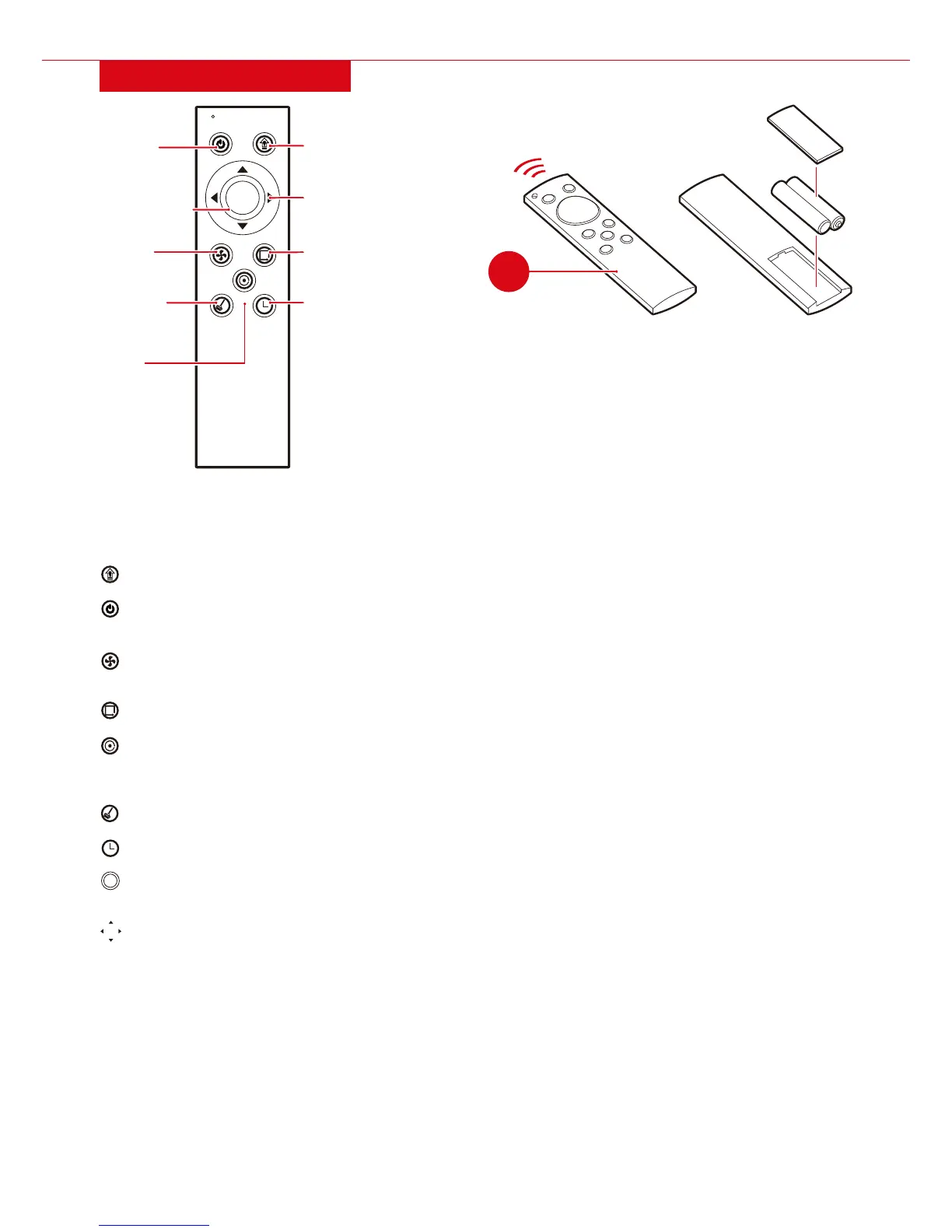
REMOTE CONTROL
• Insert two AAA batteries (not included) into the
remote control.
• Remote control has a max range of approximately
20 feet.
• Do not simultaneously press buttons on remote;
only send one command at a time.
HOME: Unit automatically returns to the charging dock to charge.
POWER: Unit enters sleep/wake mode. While in sleep mode, press power button again to wake unit.
NOTE: Unit will automatically sleep after charging.
TURBO: Unit enters deep cleaning mode with increased suction for 60-70 minutes, which is suitable for
very dirty floors.
WALL: Unit follows the wall when cleaning.
SPOT: Unit cleans in a circular motion for 2-4 minutes until finished or another button is pressed. Note: If
during normal cleaning the unit detects trash or excessive dirt, it will enter spot mode and return to that
area 3-4 times to clean it.
FULL GO: Unit cleans until the battery is depleted, returns to charging dock, and then continues to clean.
TIMER: Set time, cleaning schedule, or water seeping speed (see page 9-10).
START/STOP: Start and stop automatic cleaning or mopping. Cleaning will continue until batteries
are low, then it will automatically return to the charging dock to charge.
DIRECTIONAL BUTTONS: Manually control where the unit moves.
START
TURBO
FULL GO TIMER
WALL
SPOT
STOP
X2
HOME
POWER
WALL
16ft
AAA
AAA
TURBO
TIMER
SPOT
FULL GO
DIRECTIONAL
BUTTONS
START/STOP
C
START
STOP
X2


 To Next Page