• Clean the machine once every two weeks. Unplug, switch o power, and empty dustbins before
each cleaning.
• Wipe down the exterior of the machine with a damp cloth. Do not get the sensors or interior of the
machine wet.
• Wash mop pads with mild detergent and warm water. Allow them to dry completely before
reinstallation.
• Use a dry cloth or cotton swabs to clean the wall sensor, cli sensors, charging ports, recharging poles,
and signal emission window on the charging dock.
• Use brush tool to clean wheels. If needed, use scissors to remove hair/obstructions.
• Use brush tool or damp cloth to clean side brushes. Replace damaged side brushes.
• Remove and clean rolling brush (see Cleaning the Rolling Brush section).
CLEANING & MAINTENANCE
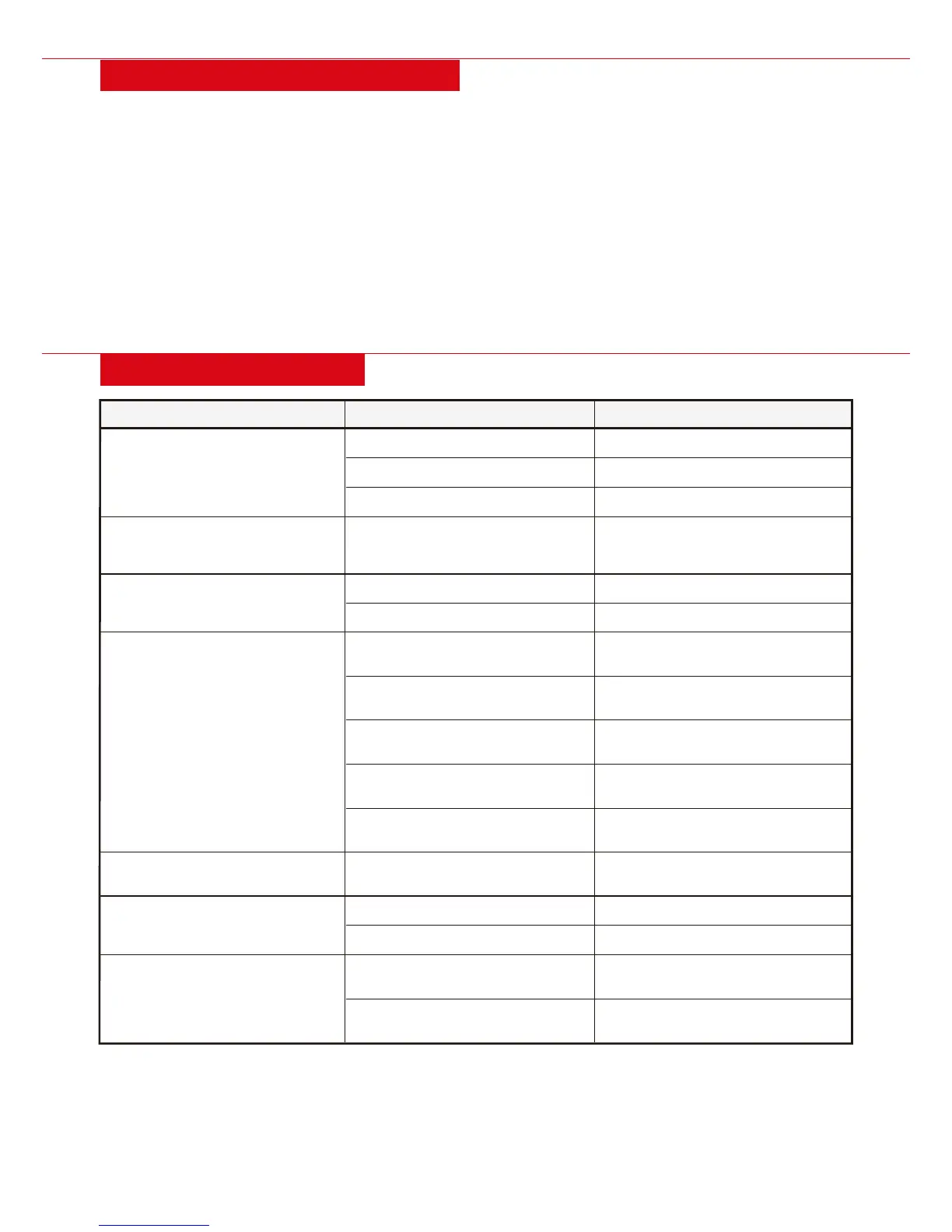
TROUBLESHOOTING
REASONPROBLEM
SOLUTION
Not cleaning as well
Low battery
Full dustbin
Dirty or obstructed brushes/inlet
In direct sunlight or on high
glare/dark surfaces
Remote/unit batteries low
Dirty or obstructed sensors
Battery depleted
Power adaptor loose
Charging dock location not ideal
Infrared interference
Signal emission window dirty
or obstructed
Dirty brushes and filters,
full dustbin
Floor obstructions
Carpet too thick
Stairs/ledge too shallow
(less than 4 in.)
Charging dock near stairs/ledge
Return to charging dock to recharge
Empty dustbin
Clean brushes/inlet
Move from direct sunlight or
high glare/dark surfaces
Replace/recharge batteries
Clean sensors on remote and unit
Manually return to dock or
charge with power adaptor
Connect power adaptor to
charging dock
Place against wall, on flat floor,
center of room, not too large area
Place in area free of interference
Clean signal emission window
Clean brushes and filters,
empty dustbin
Clear obstructions
Remove trailing bar/mop
Use in dierent area,
block stairs/ledge
Move charging dock
Remote not working
Unit not returning to
charging dock
Increased noise
Unit repeatedly stuck
Unit falling o stairs/ledges
| 17


 To Next Page