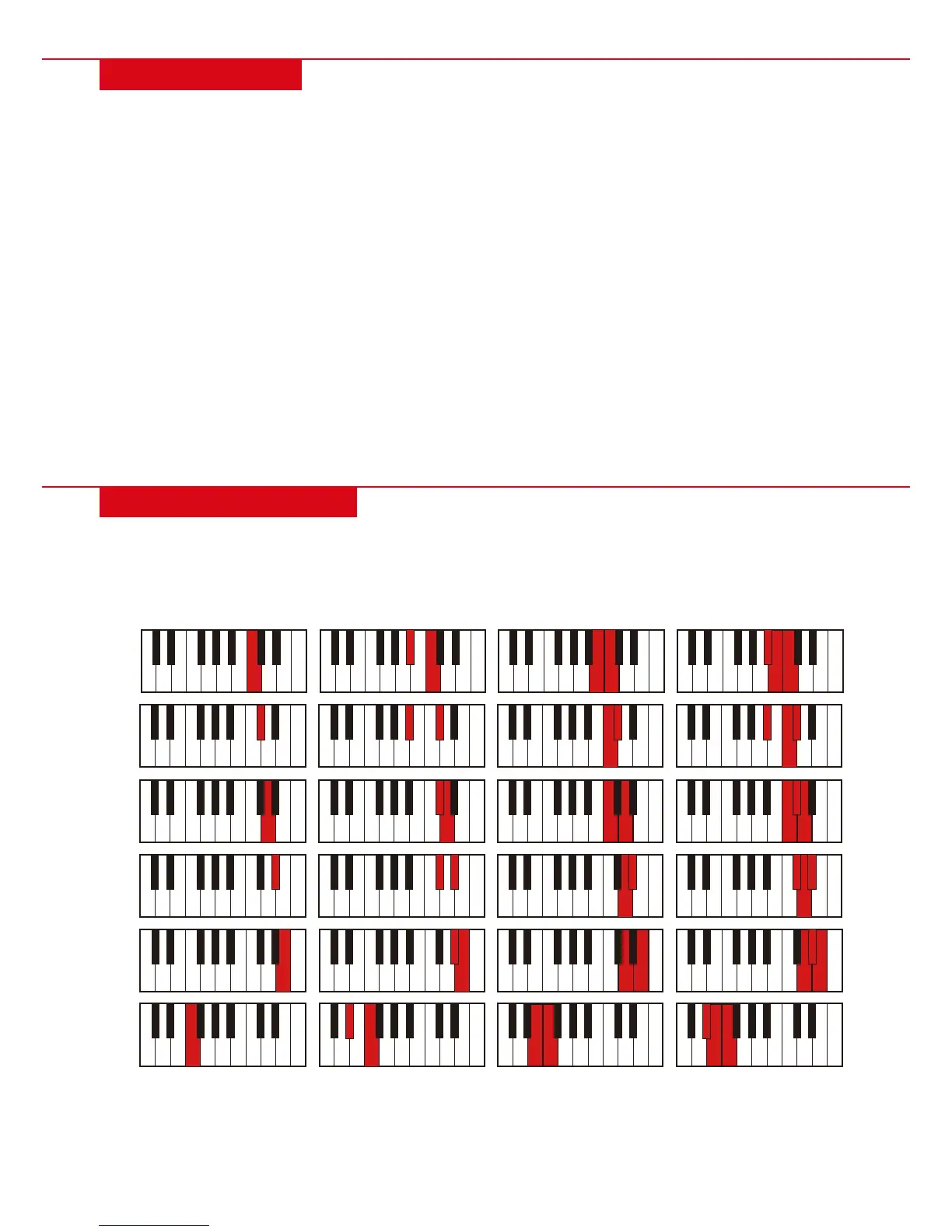
C
Major Minor 7
th
Minor 7
th
SINGLE CHORD
• While the rhythm is active, press “SINGLE” and “SIN” will show on the display. You can play a single chord using
the chord keyboard (first 19 keys from the left). Press “SINGLE” again to disable the function.
AUTO BASS CHORD
RHYTHM SELECTION
• The keyboard provides 255 pre-programmed rhythms, from “000” to “254.” Press the “RHYTHM” button and
“rhy” will display on the screen. Press the corresponding numbers or “+/-“ to select other rhythms.
RHYTHM CONTROL
• Press “START/STOP” to play the selected accompaniment rhythm.
• Press “SYNC” and “syn” will be shown on the screen. The first 19 keys from the left are the chord keyboard, and
can be played with the accompaniment rhythm.
• Press “FILL IN” to have an intermezzo piece play during the accompaniment rhythm. To continue the fill-in
melody, simply hold down the “FILL IN” button.
• To stop the accompaniment rhythm, press the “START/STOP” button.
METRONOME
• The metronome can play four tempos: 1/4, 2/4, 3/4 and 4/4. Press the “Metronome” button to toggle between
tempos. Press button again to stop playing the metronome.
TEMPO ADJUSTMENT
• Press “TEMPO +” or “TEMPO –“ to increase or decrease the tempo. Pressing the two buttons at the same time
will reset the tempo to the default.
AUTO RHYTHM
| 7
C#
D
D#
E
F


 To Next Page