BDCOM GP3600-16 GPON Hardware Installation Manual
- 11 -
3.2.1 Installing the Machine Box on the Desk
BDCOM GP3600-16 GPON can be directly put on the smooth and safe desk.
Note:
Do not put items with more than 4.5kg on GP3600-16 GPON, or it will be damaged.
3.2.2 Installing the Chassis on the Cabinet
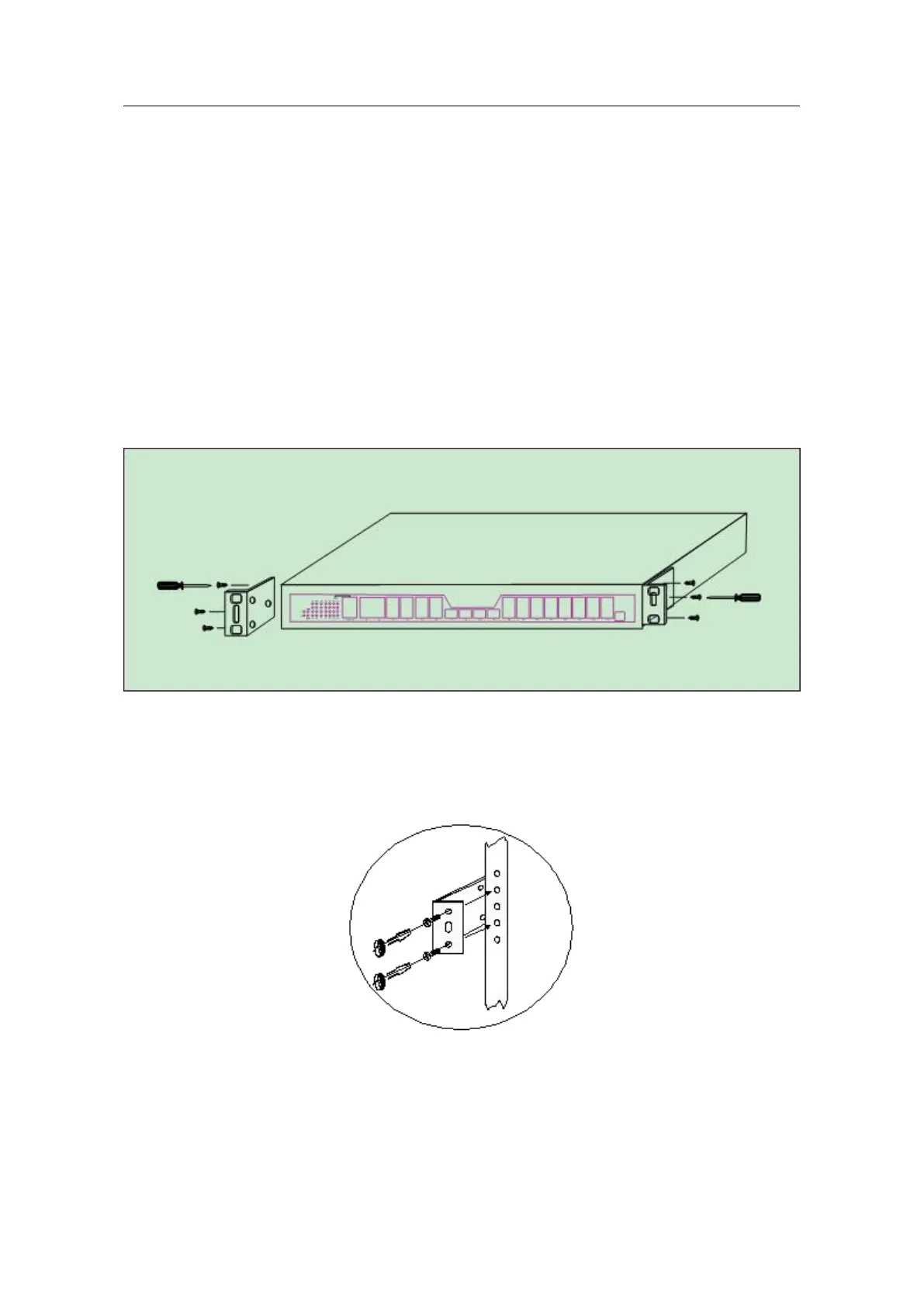
The machine box of BDCOM GP3600-16 GPON is fixed on the cabinet through the
brackets. When you fix the brackets, the front faceplate of BDCOM GP3600-16 GPON
faces forward. The detailed operations are shown in Figure 3-1.
Figure 3-1 Fixing the machine box of BDCOM GP3600-16 GPON to the cabinet
After the brackets are installed, install the GPON device on the cabinet. See the
following figure:
Figure 3- 2 Installing the GPON device on the cabinet


 To Next Page