EasyManua.ls Logo

Bdcom EPON ONU Series - User Manual

Bdcom EPON ONU Series
12 pages
Print Icon
To Next Page IconTo Next Page
Loading...
EPON ONU
User Handbook
V1.1
Question and Answer IconNeed help?

Do you have a question about the Bdcom EPON ONU Series and is the answer not in the manual?

Summary

1 Overview

1.1 Functionality and Characteristics

Describes EPON ONU series functions like high speed, easy maintenance, long transmission distance, OAM, and CLI support.

1.2 Front and Rear Templates

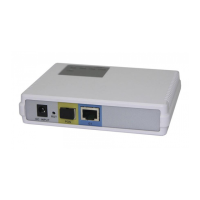
Details the front and rear templates of the P1501C1 ONU model, including labeled ports and indicators.

1.3 LEDs and Buttons

Explains the status and function of various LEDs and buttons for ONU operation and troubleshooting.

2 ONU Installation

2.1 Application Scenarios

Discusses application scenarios for ONU, specifically FTTH (Fiber To The Home) and FTTB (Fiber to The Building).

2.2 Installation Preparation

Details necessary preparations before ONU installation, including computer connectivity and Ethernet card setup.

2.3 Connecting ONU Components

Provides step-by-step instructions for connecting the ONU, including network cables, optical fiber, and power adapter.

3 Rapid Trouble Locating

4 Technical Indexes

Appendix A Abbreviations

Summary

1 Overview

1.1 Functionality and Characteristics

Describes EPON ONU series functions like high speed, easy maintenance, long transmission distance, OAM, and CLI support.

1.2 Front and Rear Templates

Details the front and rear templates of the P1501C1 ONU model, including labeled ports and indicators.

1.3 LEDs and Buttons

Explains the status and function of various LEDs and buttons for ONU operation and troubleshooting.

2 ONU Installation

2.1 Application Scenarios

Discusses application scenarios for ONU, specifically FTTH (Fiber To The Home) and FTTB (Fiber to The Building).

2.2 Installation Preparation

Details necessary preparations before ONU installation, including computer connectivity and Ethernet card setup.

2.3 Connecting ONU Components

Provides step-by-step instructions for connecting the ONU, including network cables, optical fiber, and power adapter.

3 Rapid Trouble Locating

4 Technical Indexes

Appendix A Abbreviations

Bdcom EPON ONU Series Specifications

General IconGeneral
TypeEPON ONU
Downlink RateUp to 1.25 Gbps
Uplink RateUp to 1.25 Gbps
Transmission Distance20km
ManagementWeb
Operating Temperature0°C to 50°C
Storage Temperature-40°C to 85°C
Humidity5% to 95% (non-condensing)
Wavelength1310nm (upstream), 1490nm (downstream)
Power Supply12V DC

Related product manuals