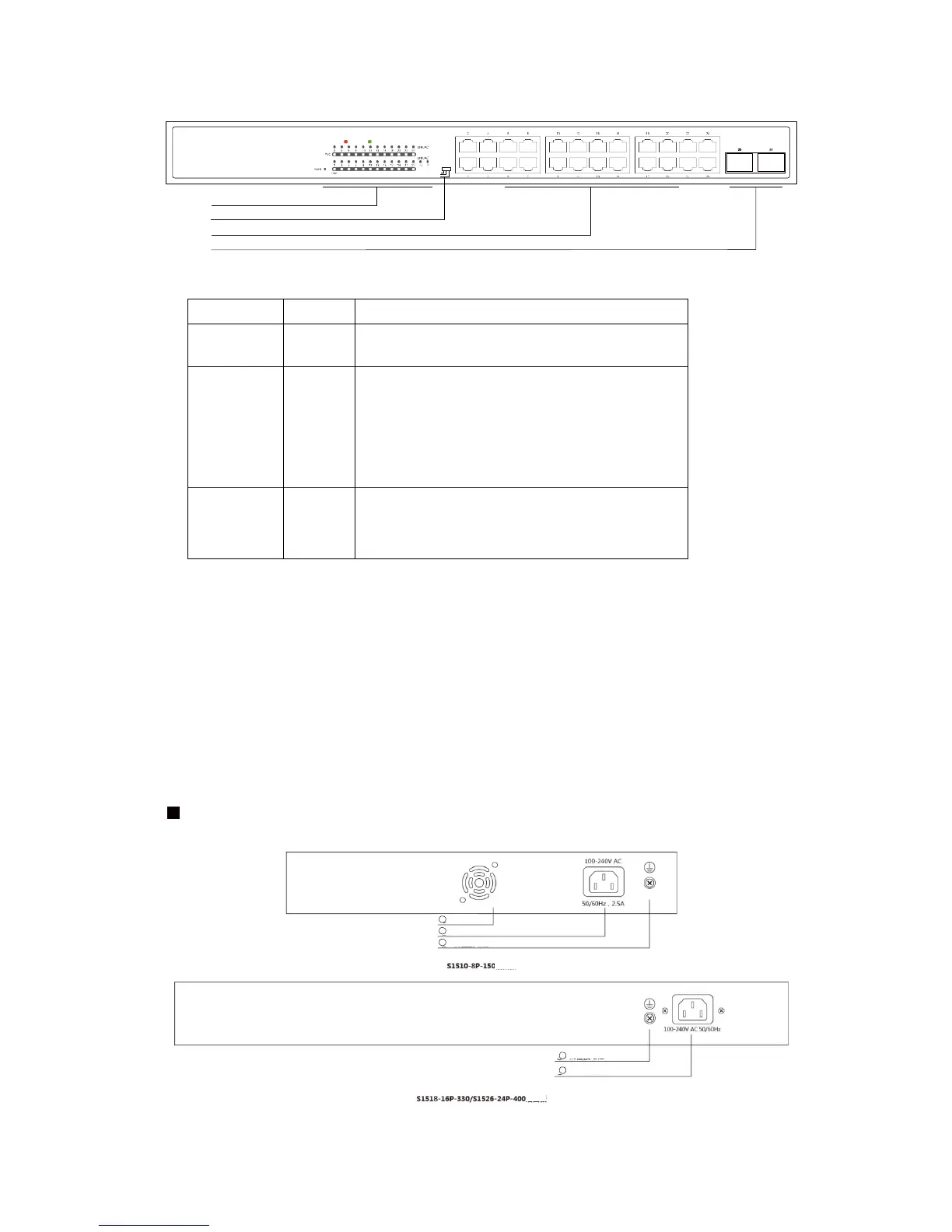
The Front Panel of the S1526-24P-400 Consists of 24-Port 10/100/1000M Auto-Negotiation
Ethernet RJ45 Ports, 2-Port Gigabit SFP slot. The LED indicators also on located on the panel.
LED Indicator
LED
PWR Green
Off: No Power supply.
Light: Indicates the switch has power.
Off: No device is connected to the corresponding port.
Light(Orange): Indicates the link through that port is
successfully established at 10/100Mbps.
Light(Green): Indicates the link through that port is
successfully established at 1000Mbps.
Blink: Indicates that the Switch is actively sending or
receiving data over that port.
Off: No PoE powered device (PD) connected.
Light: There is a PoE PD connected to be port, which
supply power successfully.
Blink: Indicates port abnormal power supply.
DIP Switch
The DIP switch located on the left panel.
Standard: the factory default mode, all ports can communicate with each other.
VLAN: PoE port can be isolated each other but poe port can connect to uplink port after open
VLAN to stop broadcast storm to increase forwarding rate of frame.
Extend: Up to 250m PoE distance allows you to expand you network via Ethernet cable to where
there is no power line or outlet but where you want to fix device such as IP Cameras.
Rear Front
2
Grounding Terminal
3
Power Socket
Port status indicator
DIP



 To Next Page