62 63 E
INTEGRATION
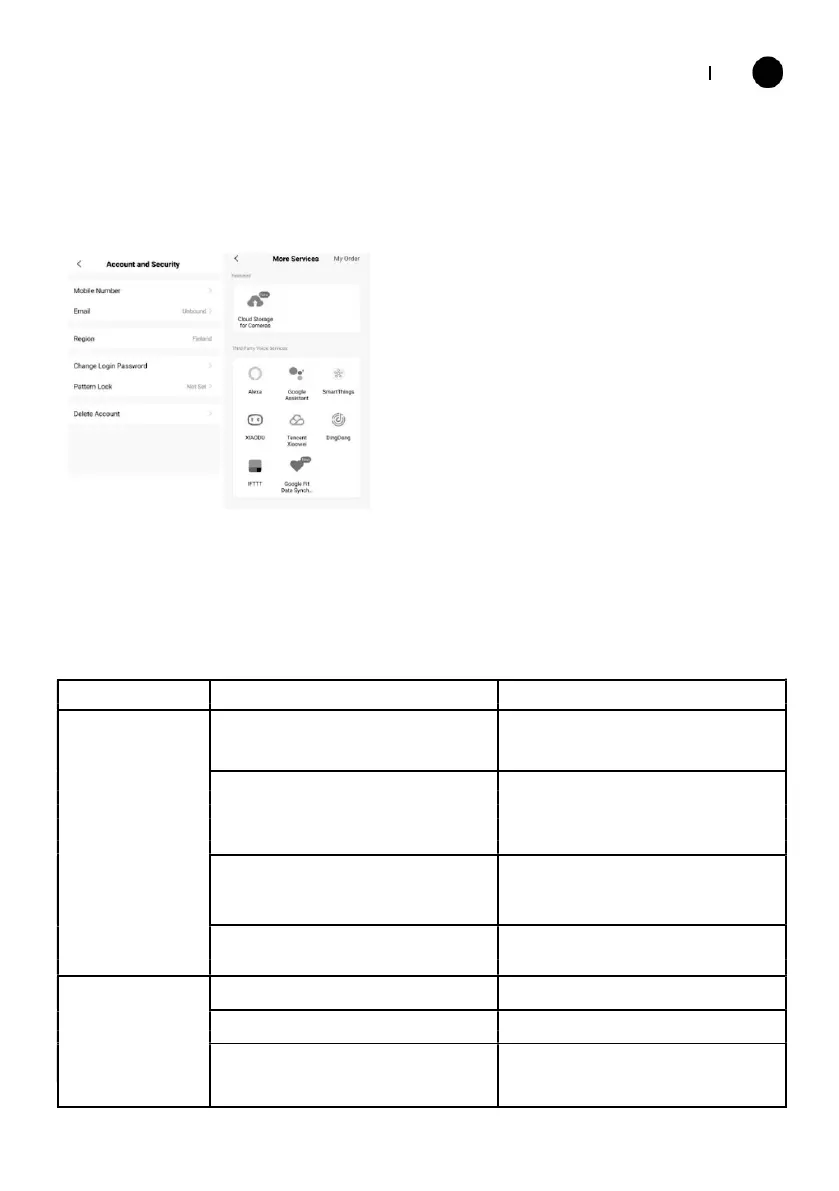
This allows the unit to be integrated with your favourite home automation hardware
such as Google Home and the Amazon Echo.
Select ”More Services”, you could integrate
with third-party voice services, pls refer to
the left picture.
TROUBLESHOOTING
Do not repair or disassemble the air conditioning. Unqualified repair will invalidate the
warranty and may lead to failure, causing injuries and property damage. Only use it as
directed in this user manual and only perform operations advised here.
Check the unit is plugged in, and the
socket is working normally.
In cooling mode, the room temperature
is lower than the desired temperature;
in heating mode, the room temperature
is higher than the desired temperature.
In dehumidification (dry) mode, the
Ensure that the room temperature
ambient temperature is low.
There is direct sunlight.
Use curtains to reduce heat from
Doors or windows are open.
The filters screen is dirty.
Clean or replace the filter
Clear obstructions; make sure the unit is
The air inlet or outlet is blocked.
installed as per the instructions.



 To Next Page