ADD THE DEVICE (AP MODE)
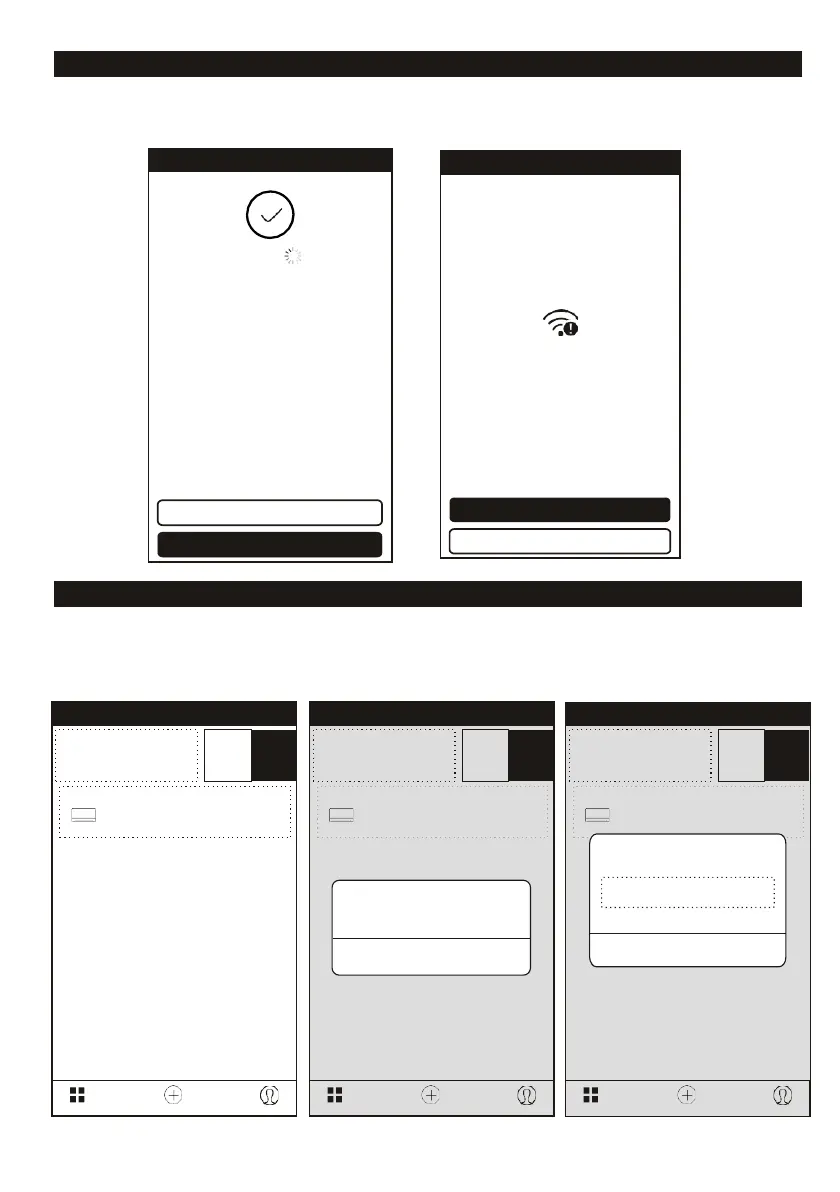
4. After the match is successfully, the page will display the prompt as below on your smartphone and on
the display of the air conditioner “AP”.
5. If match failed, the APP will mention it, and press “Retry” to try again.
DELETE THE DEVICE OR MODIFY DEVICE NAME
Go back to “Device list” page at first.
Slide the device name toward the left side, you can choose to delete it,
or modify the device name as you like.
Modify Device Name
Cancel Confirm
Device Add Device Profile
Air Conditioning
Indoor sensor malfunction
Device Add Device Profile
Are you sure you want to
remove this device?
Air Conditioning
Indoor sensor malfunction
Device Add Device Profile
Air Conditioning
Indoor sensor malfunction
Connection error,refer to help and retry
Retry
View help
<
Back
Trying to Connect Device
Successfully add 1 devices
Smart device name Rename
Share with family
Done














 To Next Page