
 Need help?
Do you have a question about the BE QUIET! PURE LOOP 2 and is the answer not in the manual?
Prepare the cooler mounting frame by detaching plastic holders from the AMD retention module.
Position four AMD spacer nuts over backplate threads and fix AMD mounting brackets with screws.
Attach fans to the radiator using mounting screws in a push configuration and connect to motherboard.
Secure the Pure Loop 2 radiator to the PC case using radiator mounting screws.
Peel protective film, apply thermal paste to CPU, and prepare the CPU block for mounting.
Center the CPU block over mounting brackets and screw it down using a crosshead screwdriver.
Place Intel backplate screws in notches and use O-rings to fasten them to the backplate.
Screw Intel spacer nuts onto the backplate and affix mounting brackets with screws.
Attach fans to the radiator using mounting screws in a push configuration and connect to motherboard.
Secure the Pure Loop 2 radiator to the PC case using radiator mounting screws.
Peel protective film, apply thermal paste to CPU, and prepare the CPU block for mounting.
Center the CPU block over mounting brackets and screw it down using a crosshead screwdriver.
Synchronize ARGB illumination with the motherboard by connecting the ARGB connector.
Address issues like improper mounting, incorrect voltage, or insufficient thermal paste for cooling.
Resolve noise issues by checking coolant level, mounting position, and fan obstructions.
Understand radiator paint does not affect cooling performance and avoid system modification.
Details the non-transferable warranty for new products and its duration from the purchase date.
Lists items not covered, including wear and tear, modifications, accidental damage, and consumables.
Defines liability limitations for consequential damages and implied warranties.
 General
| Warranty | 3 years |
|---|---|
| Radiator Material | Aluminum |
| Tube Length | 400mm |
| Connector | 4-pin PWM |
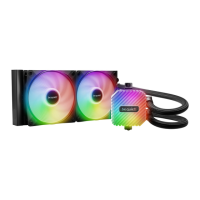
| Radiator Size | 240mm |
| Pump | Integrated |
| Fan Speed | 2000 RPM |
| Fan Type | Pure Wings 2 |
| Socket Compatibility | Intel LGA 1700, 1200, 115x; AMD AM5, AM4 |
| Type | Liquid CPU Cooler |
| Fan Size | 120mm |


 To Next Page