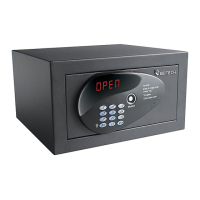
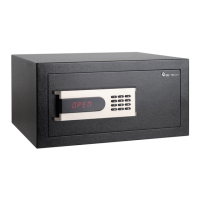
SMART SAFE 3001D-1HL/3HL/5HL
SMART SAFE 3001D 1HL/3HL/5HL
USER INSTRUCTIONS
Now the smart safe is delivered to the user with the door open and ready to use.
ASSIGNING OWNER CODE
Make sure that the smart safe has been initialized and was open
Press the *, 0 and # button, input original owner code 123456, and then press # button.
Press the *, 0 and # button again in 6 seconds, when 1St display on the screen, input a new owner
code as you like, then press the # button
When 2nd display on the screen, input the same owner code and press # button again
When dOnE display on the screen, it means owner code was set successful.
Only one owner code is allowed.
CHANGE AN OWNER CODE
Make sure that the smart safe was open.
Press the *, 0 and # button, input owner code you set before, and then press # button.
When PrOG display, press the *, 0 and # button
When 1St display, input a new code, and then press # button
When 2nd display, input the same code and press the # button again
When dOnE display, it means owner code has changed successful
NOTICE
Once the safe initialized, the Owner Code return to factory setting code 123456.
OPEN THE SAFE BY OWNER CODE
Press the *, 0 and # button, input the owner code that you set before, and then press # button.
When OPEn display, the door has opened.
NOTICE
In Privacy Mode, just input correct Owner Code, safe will be open, and press # will be close.
ASSIGNING SERVICE CODE
Make sure that the smart safe is open.
Press the *, 0 and # button, input owner code you set before, and then press # button.
When PrOG display, press the *, 1 and # button
When 1St display, input a 1
st
service code, and then press # button
When 2nd display, input the 1
st
service code and press the # button again
When dOnE display, it means 1
st
service code has set successful
When dOnE was change into PrOG, press the *, 2 and # button, the display will show 2nd, input
the 2
nd
service code, and then press # button, 2
nd
service code will be confirmed assignment.
NOTICE
Service Code assignment can be continue before display off
DELETE SOME SERVICE CODE
Make sure that the smart safe was open.
Press the *, 0 and # button, input owner code, and then press # button.
When PrOG display, press the *, *, 1 and # button
When dEL1 display, input owner code and press # button


 To Next Page
 Loading...