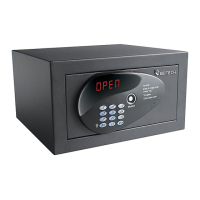
Need help?
Do you have a question about the Be-Tech 3001D-3GL and is the answer not in the manual?
Step-by-step guide for correctly inserting batteries into the safe.
Instructions for assigning the initial IB card code to the safe as the owner key.
Covers assigning a new owner key and changing the existing one.
Details the process for assigning and deleting master keys.
Explains how to properly close and open the smart safe using codes.
Procedure to open the safe using the IB card when the code is forgotten.
Instructions for using the mechanical key to open the safe in case of electronic failure.
Setting up the encoder interface and COM port for the software.
Step-by-step process to register a key ID and holder name in the system.
Instructions for setting the safe's date and time using a time card.
Confirmation steps after adjusting the safe's clock.
Completing the time setting process using the time card and receiver.
Procedure for setting the time using the owner key and receiver interface.
Procedure for transferring opening/closing data from the safe to a computer using a data card.
Procedure to open the safe using the IB key in an urgent situation.
Instructions for opening the safe using the mechanical key when other methods fail.
Troubleshoots issues where the owner key fails to open the smart safe.


 To Next Page
 General