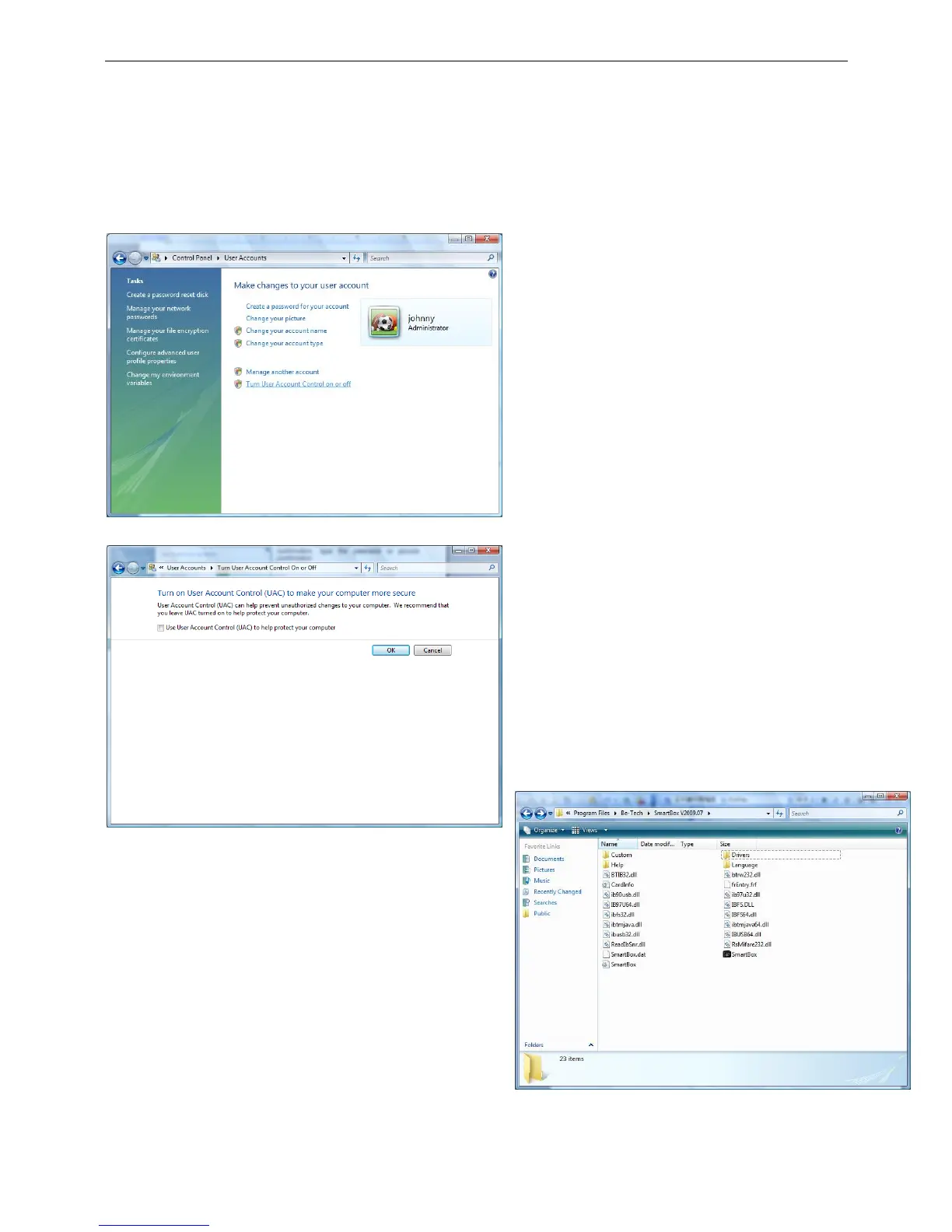
Click Turn User Account Control on or off. If
you are prompted for an administrator password
or confirmation, type the password or provide
confirmation.
Select the Use User Account Control (UAC) to
help protect your computer check safe to turn
on UAC, or clear the check safe to turn off UAC,
and then click OK
Open the folder which is the system software in. The
default path is C:\Program Files\Be-Tech. Then open the
Driver folder.



 To Next Page