SOFTWARE INSTALLATION
First of all, fit the installation CD into the computer reader and then start up the installation software called
SETUP inside the CD.
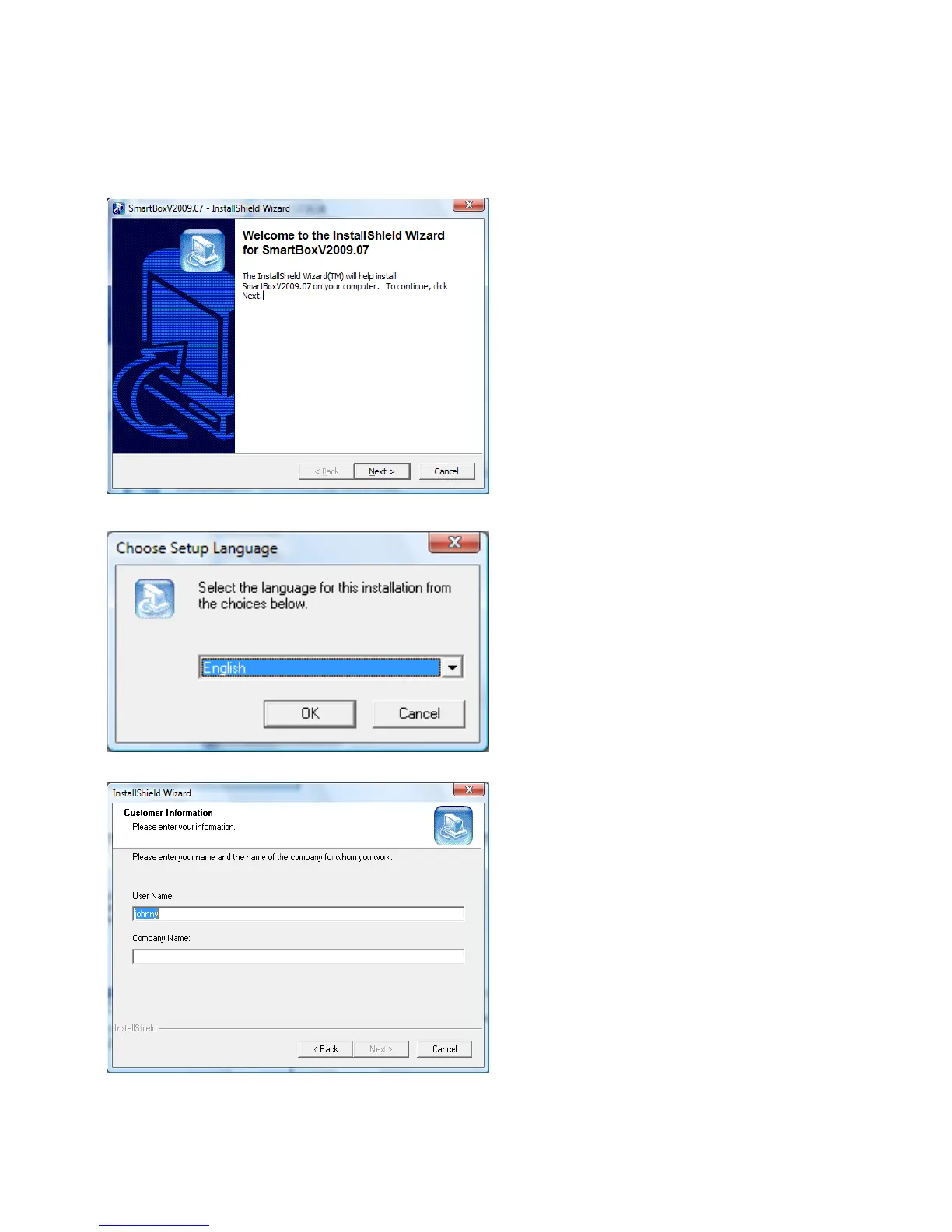
After that, a series of installation windows will open consecutively, guiding the user step by step to installing
the software.
This window shows the version of the driver.
Press the Next button to proceed with the
installation.
Press the Cancel button to exit.
In this window, you must select the language for
the system, there are two languages to select, the
simple Chinese and the English.
Select the language which you are needed, then
press the OK.
This window will ask you to fill in your name and
your company name.
Press the Next button to proceed with the
installation.
Press the Back button to go back to the previous
windows.



 To Next Page