EasyManua.ls Logo

Be-Tech 3001D-3GL - ENCODER INSTALLATION (Continued); Monitoring 1-Wire Driver Installation Progress; Finalizing 1-Wire Driver Setup; OPERATOR INTERFACE

Default Icon
27 pages
Print Icon
To Next Page IconTo Next Page
To Previous Page IconTo Previous Page
Loading...
SMART SAFE 3001D-1GL/3GL/5GL
SMART SAFE 3001D 1GL/3GL/5GL
17
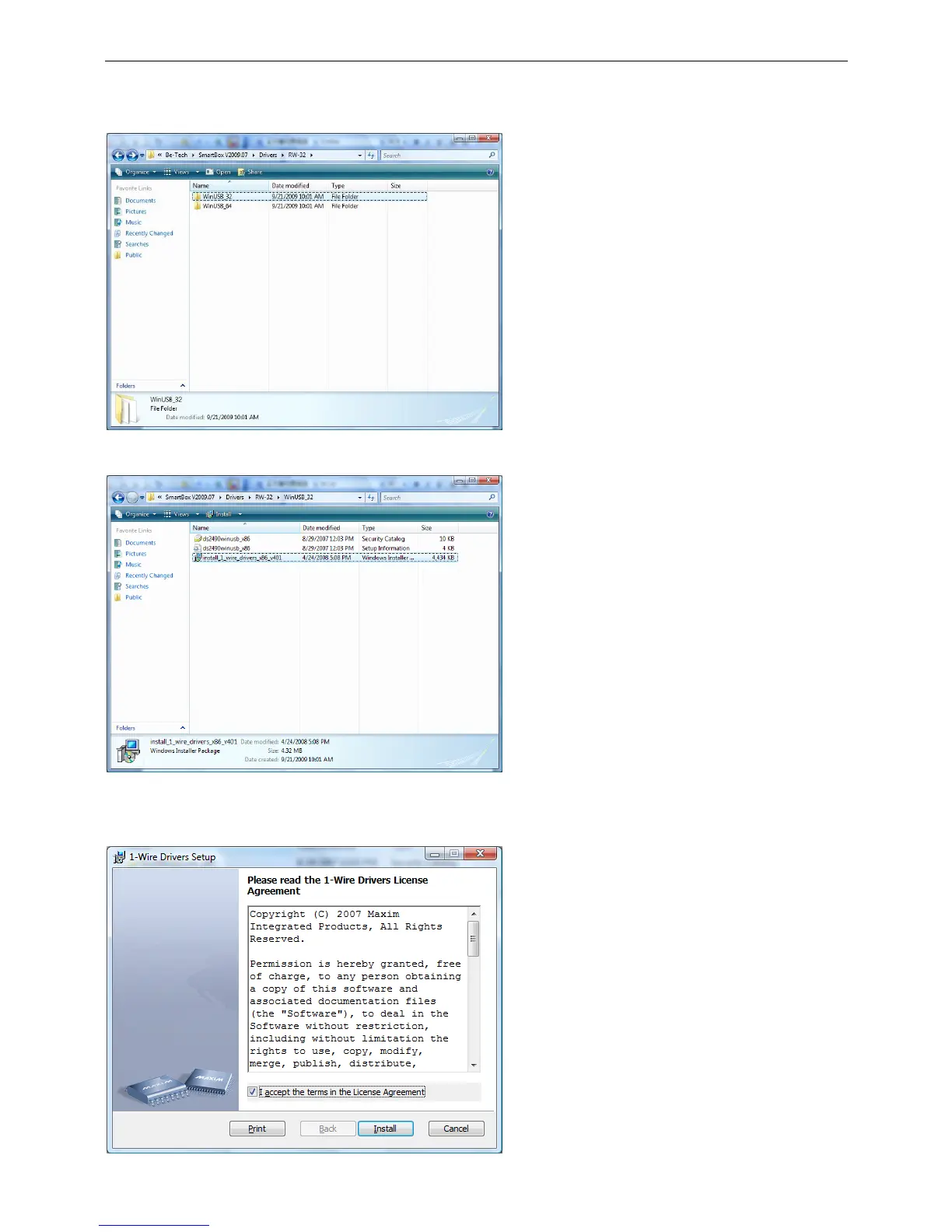
The WinUSB_32 folder is used for the 32 bit
computer, the WinUSB_64 folder is used for the
64 bit computer. Select a correct folder to open.
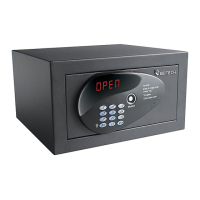
Double click the install_wire_driver_x86_v401
to process the driver’s installation.
This window will ask you to read the drivers
license agreement. Check the square and press
the Install button to process the installation.

Related product manuals