Beacon 800 Gas Monitor Operator’s Manual Wiring the Beacon 800 Gas Monitor • 14
Connecting the DC Power Source
WARNING: Verify that the power source is unplugged or turned off at the power
source end before you continue with this procedure.
DC power may be used as a primary power source. If DC power (connected to the 24
VDC terminals) is the primary power source, DO NOT connect AC power to the AC
terminal strip.
A 24 VDC battery (connected to the 24 VDC terminals) may also be used as a backup
power source if AC power (connected to the AC terminal strip) is the primary power
source.
WARNING: The 24 VDC terminals are only intended for connecting a battery or a
24 VDC supply to the Beacon 800. Do not connect any horns or
strobes to the 24 VDC terminals.
1. Locate the controller terminal strip (see Figure 1 on page 4).
2. Install an appropriately rated cable bushing or conduit in an unused conduit hub on
the bottom of the Beacon 800 housing.
CAUTION: Only use the four factory installed conduit hubs on the bottom of the housing
for wire entry into the housing. Do not drill the housing for any reason. See
“Routing Wiring Into the Beacon 800 Housing” on page 12 for more
information.
3. Guide a DC power cord or two wires in conduit through the selected conduit hub on
the bottom of the Beacon 800 housing.
CAUTION: Do not route power and detector head wiring through the same conduit hub.
The power wiring may disrupt the transmission of the detector head signal to
the monitor.
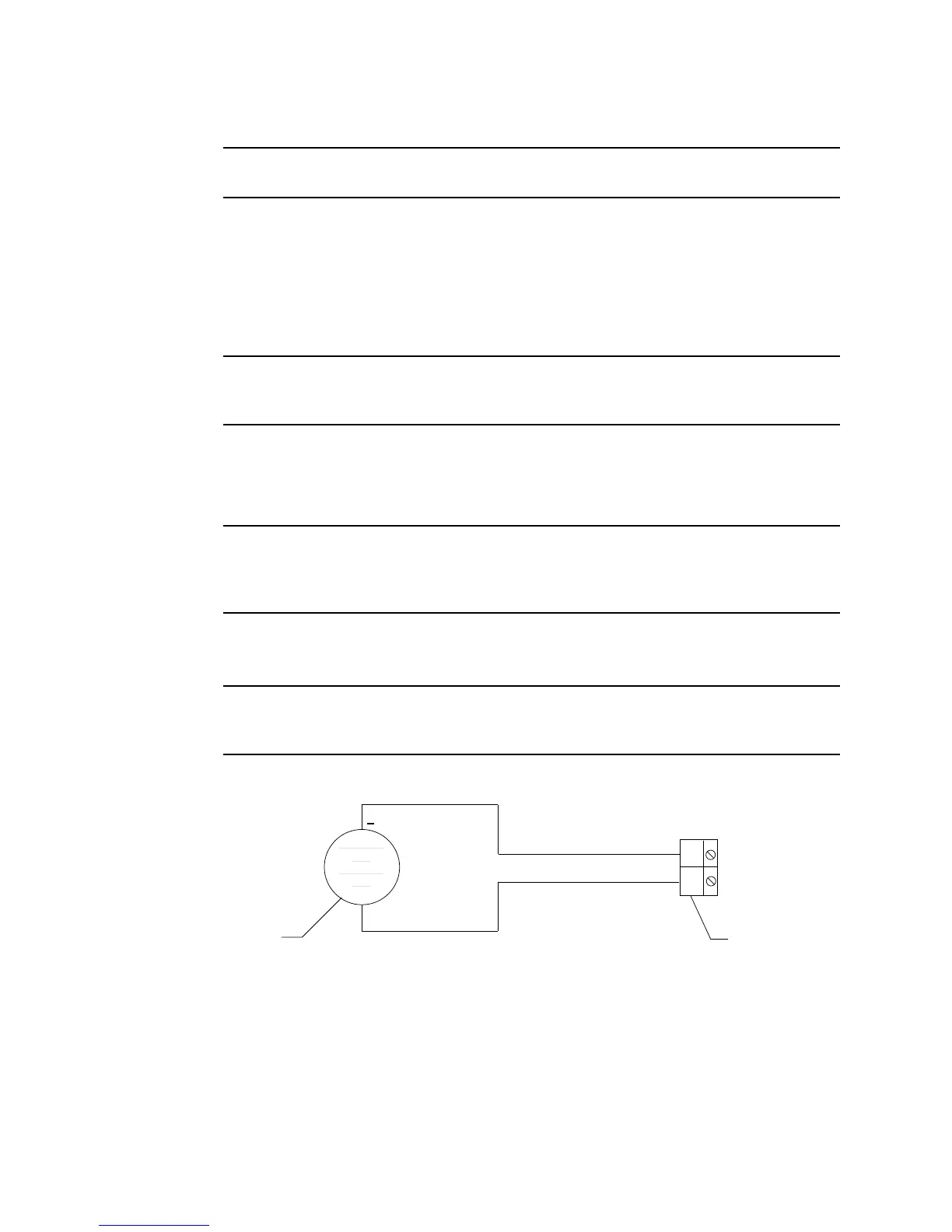
4. Connect the DC line to the controller terminal strip as shown in Figure 7.
Figure 7: DC Power Wiring
BAT-
BAT+
DC Power
Source
Controller
Terminal Strip
+
24VDC



 To Next Page