Bea-fon T850 -6-
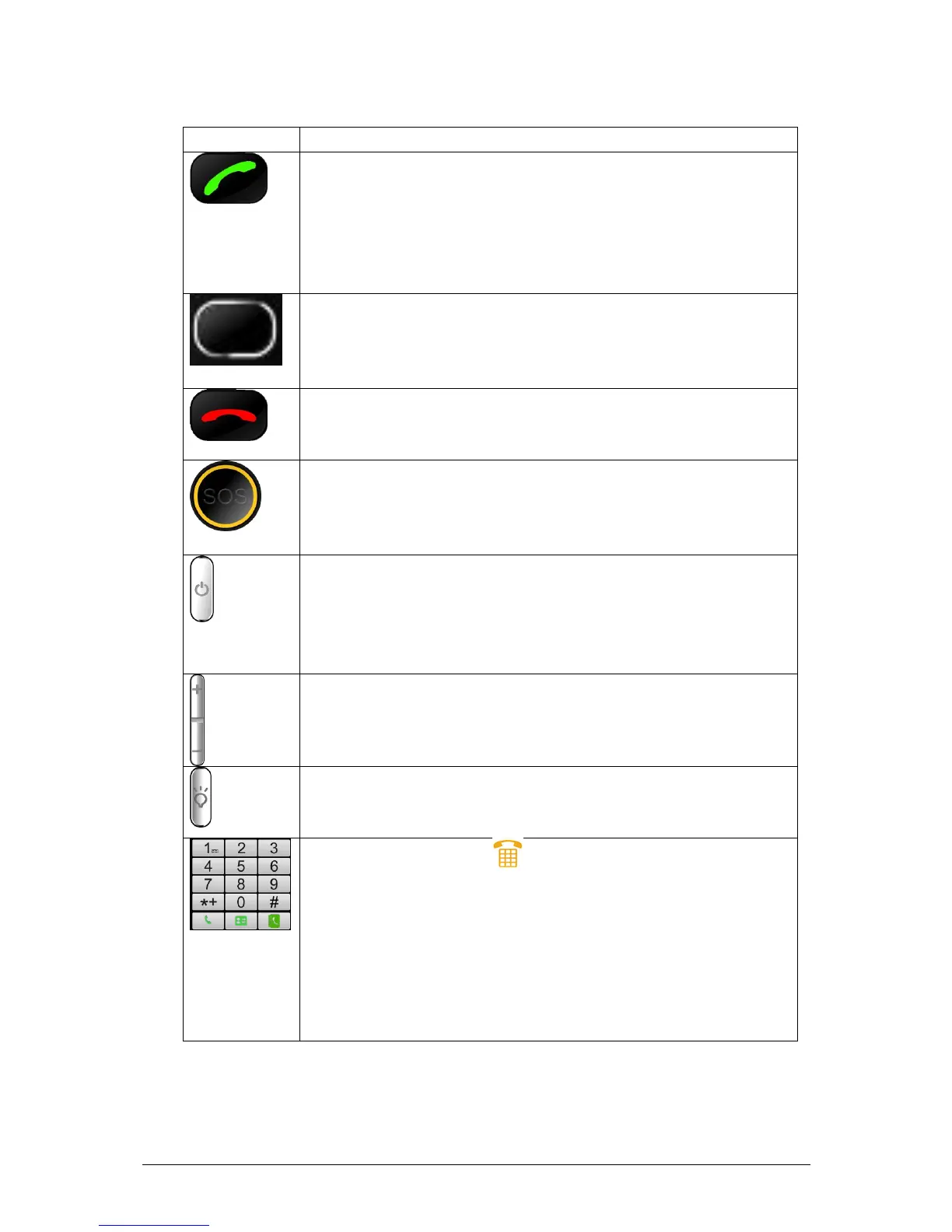
2.2 Keys specification
Dial key
Answer the call by pressing any dial keys.
In idle mode, enter phone number and press the key
to make a call. Or dial a number from phonebook or
call records.
In idle mode, press the key to display the call logs.
OK key
In idle mode, press OK key to access the menu.
In option menu, press OK navigation key to confirm
selection.
End key
End the call.
Return to idle menu.
SOS key
Press SOS key at the back of the phone, you can
quickly circular dial the emergency numbers and
send text messages.
Power key
Power key is at the right side of the phone. Long
press to power on/off the mobile. In idle mode, press
Power key to lock the screen and keypad. Slide to
unlock.
Side Volume keys
In idle mode, press to adjust volume.
Flashlight key
Press to open or close the flashlight in the front of the
phone.
In idle mode, touch to open dialpad.
When dial a number, touch corresponding number.
Touch one or more keys of 1-9 and then press # key
to directly access entries in phonebook. For example:
touch 1 and # in turn, it displays the first entry of SIM
card phonebook.
press * key, cyclically shows “*”, “+”, ”P”, ”W”.
Long press # can switch to silent mode.
※Note: In idle mode means that your phone is switched on but not being
used for any function. ※



 To Next Page