EasyManua.ls Logo

Beamz BT270 - User Manual

Beamz BT270
32 pages
Print Icon
To Next Page IconTo Next Page
Loading...
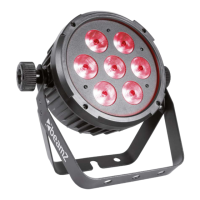
BT270 LED Flat Par 7x 6W 4-in1
Ref. nr.: 151.306
INSTRUCTION MANUAL
GEBRUIKSAANWIJZING
BEDIENUNGSANLEITUNG
MANUAL DE INSTRUCCIONES
MANUEL D'INSTRUCTIONS
INSTRUKCJA OBSŁUGI
V1.0
Question and Answer IconNeed help?

Do you have a question about the Beamz BT270 and is the answer not in the manual?

Summary

Safety Instructions

General Safety Precautions

Follow manual instructions to avoid fire, electrical shock, and damage.

Specific Warnings

Includes warnings for high voltages, LED light exposure, and proper usage.

Warranty and Disposal

Details warranty conditions and environmental disposal of electric products.

Unpacking and Power Supply

Unpacking Instruction

Carefully unpack, check contents, and retain packing material.

Power Supply Requirements

Connect to correct voltage, protected circuit, and ensure proper grounding.

Installation Guidelines

Mounting and Safety Attachments

Ensure secure mounting, secondary safety, and proper placement.

Operational Safety Checks

Requires expert approval, annual checks, and keeping installation area clear.

Fire Safety During Installation

Keep flammable materials at least 0.5m away from the device.

Display and Control

Control Board Features

Access main menu via Mode, browse with Up/Down, select with Enter.

DMX-512 Connection

Connect DMX output of controller to DMX input of the first unit in a chain.

Master;Slave Operation

Control multiple units with one master unit by connecting DMX OUT to DMX IN.

Remote Controller Functions

Mode Selection

Control modes like BLACK OUT, AUTO, SOUND, STROBE, SPEED, and SENSITIVITY.

Manual Colour Control

Adjust individual colours (R, G, B, W) and brightness using MANUAL mode.

Fade and Brightness Adjustment

Adjust fade speed and brightness levels for various modes.

Maintenance and Troubleshooting

Replacing the Fuse

Procedure to safely replace a defective fuse with the correct type and value.

Fixture Cleaning

Guidelines for cleaning lenses, mirrors, and housing to maintain optimal light output.

DMX Channel Configuration

DMX Mode Settings

Configure DMX address and select channel modes (2, 3, 4, 8 channels).

DMX Channel Functions

Details functions for Master dimmer, Static colour, Auto, Sound, and more across different channel modes.

Technical Specifications

Product Details

Lists rated voltage, power, LED type, fuse, DMX channels, function modes, dimensions, and weight.

Declaration of Conformity

Manufacturer Information

Details manufacturer TRONIOS BV and product compliance with EU directives.

Regulatory Requirements

Lists harmonized standards the product complies with for safety and electromagnetic compatibility.

Summary

Safety Instructions

General Safety Precautions

Follow manual instructions to avoid fire, electrical shock, and damage.

Specific Warnings

Includes warnings for high voltages, LED light exposure, and proper usage.

Warranty and Disposal

Details warranty conditions and environmental disposal of electric products.

Unpacking and Power Supply

Unpacking Instruction

Carefully unpack, check contents, and retain packing material.

Power Supply Requirements

Connect to correct voltage, protected circuit, and ensure proper grounding.

Installation Guidelines

Mounting and Safety Attachments

Ensure secure mounting, secondary safety, and proper placement.

Operational Safety Checks

Requires expert approval, annual checks, and keeping installation area clear.

Fire Safety During Installation

Keep flammable materials at least 0.5m away from the device.

Display and Control

Control Board Features

Access main menu via Mode, browse with Up/Down, select with Enter.

DMX-512 Connection

Connect DMX output of controller to DMX input of the first unit in a chain.

Master;Slave Operation

Control multiple units with one master unit by connecting DMX OUT to DMX IN.

Remote Controller Functions

Mode Selection

Control modes like BLACK OUT, AUTO, SOUND, STROBE, SPEED, and SENSITIVITY.

Manual Colour Control

Adjust individual colours (R, G, B, W) and brightness using MANUAL mode.

Fade and Brightness Adjustment

Adjust fade speed and brightness levels for various modes.

Maintenance and Troubleshooting

Replacing the Fuse

Procedure to safely replace a defective fuse with the correct type and value.

Fixture Cleaning

Guidelines for cleaning lenses, mirrors, and housing to maintain optimal light output.

DMX Channel Configuration

DMX Mode Settings

Configure DMX address and select channel modes (2, 3, 4, 8 channels).

DMX Channel Functions

Details functions for Master dimmer, Static colour, Auto, Sound, and more across different channel modes.

Technical Specifications

Product Details

Lists rated voltage, power, LED type, fuse, DMX channels, function modes, dimensions, and weight.

Declaration of Conformity

Manufacturer Information

Details manufacturer TRONIOS BV and product compliance with EU directives.

Regulatory Requirements

Lists harmonized standards the product complies with for safety and electromagnetic compatibility.

Beamz BT270 Specifications

General IconGeneral
BrandBeamz
ModelBT270
CategoryLighting Equipment
LanguageEnglish

Related product manuals