EasyManua.ls Logo

Beamz BFP120 - User Manual

Beamz BFP120
28 pages
Print Icon
To Next Page IconTo Next Page
Loading...
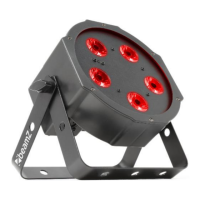
BFP120 Flatpar 5x 8W 4-in-1
Ref. nr.: 151.213
INSTRUCTION MANUAL
GEBRUIKSAANWIJZING
BEDIENUNGSANLEITUNG
MANUAL DE INSTRUCCIONES
MANUEL D'INSTRUCTIONS
INSTRUKCJA OBSŁUGI
V1.1
Question and Answer IconNeed help?

Do you have a question about the Beamz BFP120 and is the answer not in the manual?

Summary

Unpacking Instructions

Power Supply

Installation

Display and Control

DMX-512 Connection

Remote Controller Operations

Black Out Mode

Turns the fixture on or off, exiting or returning to previous modes.

Auto Mode

Activates automatic pre-programmed light effects.

Sound Mode

Synchronizes light effects with music via sound activation.

Strobe Mode

Adjusts the speed of strobe effects.

Speed Mode

Controls the playback speed of auto or sound programs.

Sensitivity Mode

Adjusts the microphone sensitivity for sound-active modes.

DMX;% Mode

Enables or disables DMX control of the product.

Manual Mode

Selects and adjusts individual color mixes manually.

Fade;Unit Mode

Adjusts the fade speed between colors or programs.

Number 1~9

Sets brightness levels for programs or manual colors.

Fuse Replacement and Fixture Cleaning

Technical Specifications

DMX Channels Details

4 Channels

Details DMX channel functions and values for 4-channel mode.

8 Channels

Details DMX channel functions and values for 8-channel mode.

Declaration of Conformity

Summary

Unpacking Instructions

Power Supply

Installation

Display and Control

DMX-512 Connection

Remote Controller Operations

Black Out Mode

Turns the fixture on or off, exiting or returning to previous modes.

Auto Mode

Activates automatic pre-programmed light effects.

Sound Mode

Synchronizes light effects with music via sound activation.

Strobe Mode

Adjusts the speed of strobe effects.

Speed Mode

Controls the playback speed of auto or sound programs.

Sensitivity Mode

Adjusts the microphone sensitivity for sound-active modes.

DMX;% Mode

Enables or disables DMX control of the product.

Manual Mode

Selects and adjusts individual color mixes manually.

Fade;Unit Mode

Adjusts the fade speed between colors or programs.

Number 1~9

Sets brightness levels for programs or manual colors.

Fuse Replacement and Fixture Cleaning

Technical Specifications

DMX Channels Details

4 Channels

Details DMX channel functions and values for 4-channel mode.

8 Channels

Details DMX channel functions and values for 8-channel mode.

Declaration of Conformity

Beamz BFP120 Specifications

General IconGeneral
Dimensions125 x 125 x 130mm
Weight0.6kg
Light SourceLED
ColoursRGB
Power SupplyAC 100-240V, 50/60Hz
ControlDMX, Sound
Voltage100-240VAC 50/60Hz

Related product manuals