EasyManua.ls Logo

Beamz BPP210 - User Manual

Beamz BPP210
24 pages
Print Icon
To Next Page IconTo Next Page
Loading...
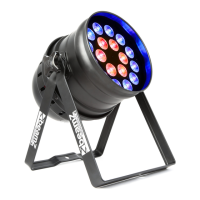
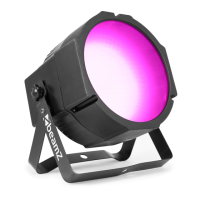
BPP210 PAR64 18x12W Quad RGBW IR DMX
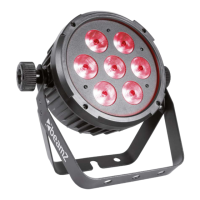
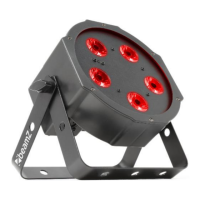
BPP220 PAR64 12x12W Quad RGBW IR DMX
Ref. nr.: 151.235 / 151.237
INSTRUCTION MANUAL
GEBRUIKSAANWIJZING
GEBRAUCHSANLEITUNG
MANUAL DE INSTRUCCIONES
MANUEL D'INSTRUCTIONS
V1.0
Question and Answer IconNeed help?

Do you have a question about the Beamz BPP210 and is the answer not in the manual?

Summary

Unpacking and Initial Setup

Unpacking Instruction

Check contents upon receipt, retain packing material for inspection, and use original packaging for returns.

Installation Guidelines

Follow national norms, use authorized personnel, ensure secure mounting, and maintain safe distances from materials.

DMX-512 Connectivity

Standard DMX Connection

Connect controller output to first unit's input, then chain units sequentially.

DMX Cable Termination

Terminate the last fixture in the chain with a 120 Ohm resistor between signal (-) and signal (+).

Remote Controller Functions

Auto Mode Program Selection

Activate Auto mode and select programs using the '+' or '-' buttons.

Sound Mode Operation

Activate Sound-Active mode and choose sound programs using the '+' or '-' buttons.

Fuse Replacement

Fuse Replacement Procedure

Unplug the unit, open fuse holder, remove old fuse, install new fuse, and replace holder.

DMX Channel Assignments

4-Channel DMX Mode

Details channel functions: Color (RGBW combinations), Strobe, Mode (Auto/Sound), and Mode Speed.

8-Channel DMX Mode

Details channel functions: Color (R, G, B, W), Dimming, Strobe, Mode (Auto/Sound), and Mode Speed.

Summary

Unpacking and Initial Setup

Unpacking Instruction

Check contents upon receipt, retain packing material for inspection, and use original packaging for returns.

Installation Guidelines

Follow national norms, use authorized personnel, ensure secure mounting, and maintain safe distances from materials.

DMX-512 Connectivity

Standard DMX Connection

Connect controller output to first unit's input, then chain units sequentially.

DMX Cable Termination

Terminate the last fixture in the chain with a 120 Ohm resistor between signal (-) and signal (+).

Remote Controller Functions

Auto Mode Program Selection

Activate Auto mode and select programs using the '+' or '-' buttons.

Sound Mode Operation

Activate Sound-Active mode and choose sound programs using the '+' or '-' buttons.

Fuse Replacement

Fuse Replacement Procedure

Unplug the unit, open fuse holder, remove old fuse, install new fuse, and replace holder.

DMX Channel Assignments

4-Channel DMX Mode

Details channel functions: Color (RGBW combinations), Strobe, Mode (Auto/Sound), and Mode Speed.

8-Channel DMX Mode

Details channel functions: Color (R, G, B, W), Dimming, Strobe, Mode (Auto/Sound), and Mode Speed.

Beamz BPP210 Specifications

General IconGeneral
BrandBeamz
ModelBPP210
CategoryLighting Equipment
LanguageEnglish

Related product manuals