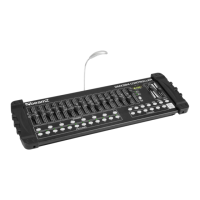
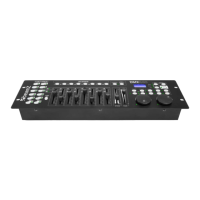
Need help?
Do you have a question about the Beamz DMX-512 and is the answer not in the manual?
Advice before first use, initial smell is normal.
Warnings about voltage, opening housing, liquids, and damaged leads.
Avoid heat, vibration, moisture, and ensure ventilation.
Use qualified technicians, avoid chemicals, clean with dry cloth.
Avoid touching hot parts, don't switch on/off repeatedly, keep from children.
Use earthed outlet, disconnect when not in use, check voltage.
Explanation of warning symbols and CE certification.
Unit functions best between 5°C and 35°C.
Overview of DMX channel ranges (PA-1 to PA-8) for controller.
How to select channels using buttons under faders for control.
How fader values are recorded when buttons are pressed.
Steps to create and save scenes using Menu, UP/DOWN, and ENTER buttons.
How to select and play back saved scenes using Menu and UP/DOWN.
How to view the current channel value using the Menu button.
Procedure to clear all memory data by pressing Menu and ENTER while powering on.
Important notes on preset modes, power, battery, and energy saving.
 General
| AC input voltage | 220-240, 12 V |
|---|---|
| AC input frequency | 50 Hz |
| Type | - |
| Product color | Black |
| International Protection (IP) code | IP20 |
| Quantity per pack | 1 pc(s) |
 Weight and Dimensions
| Width | 170.5 mm |
|---|---|
| Height | 36 mm |
| Length | 85.5 mm |
| Weight | 450 g |

 To Next Page