EasyManua.ls Logo

Beamz DMX384 - User Manual

Beamz DMX384
32 pages
Print Icon
To Next Page IconTo Next Page
Loading...
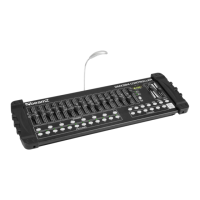
DMX384 Controller
Ref. nr.: 154.048
INSTRUCTION MANUAL
MANUAL DE INSTRUCCIONES
MANUEL D'INSTRUCTIONS
V1.1
Question and Answer IconNeed help?

Do you have a question about the Beamz DMX384 and is the answer not in the manual?

Summary

Unpacking and Power

Power Supply Requirements

Verify mains voltage matches product specification and connect directly to mains.

DMX Connectivity and Setup

DMX-512 Connection

Connect units in a DMX chain, terminating the last fixture with a 120 Ohm resistor.

XLR Conversion Guide

Details conductor mapping for 3-Pin XLR to 5-Pin XLR conversion.

Operation Guide and Setup

General Controller Features

Describes the controller's capabilities for fixtures, scenes, and chases.

Pan and Tilt Channel Assignment

Procedure to reassign pan and tilt channels for individual fixtures.

Modes and Programming

Manual Mode Operation

Direct control of fixture attributes using channel faders.

Creating and Running Programs

Steps to create scenes, combine them into programs, and run them.

Program and Chase Management

Chase Programming Basics

Creating chases by sequencing previously created scenes.

MIDI Operation and Specifications

Technical Specifications

Details rated voltage, DMX connection, MIDI input, function, dimensions, and weight.

Summary

Unpacking and Power

Power Supply Requirements

Verify mains voltage matches product specification and connect directly to mains.

DMX Connectivity and Setup

DMX-512 Connection

Connect units in a DMX chain, terminating the last fixture with a 120 Ohm resistor.

XLR Conversion Guide

Details conductor mapping for 3-Pin XLR to 5-Pin XLR conversion.

Operation Guide and Setup

General Controller Features

Describes the controller's capabilities for fixtures, scenes, and chases.

Pan and Tilt Channel Assignment

Procedure to reassign pan and tilt channels for individual fixtures.

Modes and Programming

Manual Mode Operation

Direct control of fixture attributes using channel faders.

Creating and Running Programs

Steps to create scenes, combine them into programs, and run them.

Program and Chase Management

Chase Programming Basics

Creating chases by sequencing previously created scenes.

MIDI Operation and Specifications

Technical Specifications

Details rated voltage, DMX connection, MIDI input, function, dimensions, and weight.

Beamz DMX384 Specifications

General IconGeneral
TypeLighting controller
Product colorBlack
Quantity per pack1 pc(s)
Power sourceAC
Output current1 A
Output voltage12 V
AC input voltage100 - 240 V
AC input frequency50 - 60 Hz
Control typeButtons, Faders
CertificationCE
On/off switchYes
Rack mounting-
Built-in displayNo
DMX channels quantity384 channels
Number of supported fixtures12
Number of programmable scenes240
DMX connector typeXLR3
Weight and Dimensions IconWeight and Dimensions
Width520 mm
Height190 mm
Length770 mm
Weight2600 g

Related product manuals