EasyManua.ls Logo

Beamz DMX240 - User Manual

Beamz DMX240
50 pages
Print Icon
To Next Page IconTo Next Page
Loading...
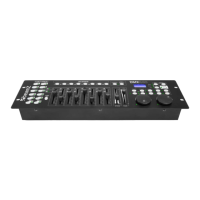
DMX240 Controller
Ref. nr.: 154.090
INSTRUCTION MANUAL
V2.1
Question and Answer IconNeed help?

Do you have a question about the Beamz DMX240 and is the answer not in the manual?

Summary

Safety and Precautions

General Safety Warnings

Follow manual, avoid shock/fire, handle mains lead carefully, do not open.

Unpacking and Connectivity

Power and Electrical Safety

Connect to correct voltage, use protected circuits, and ensure proper grounding for safety.

DMX-512 Connection

Chain units, use adapters if needed, and terminate the last fixture with a resistor.

Scene Programming

Creating and Storing Scenes

Step-by-step guide to creating scenes using faders and storing them into banks.

Scene and Scanner Management

Editing and Copying Scenes

Instructions for modifying existing scenes and copying scenes between banks.

Scene and Bank Deletion

Chase Programming

Programming Chases

Overview of chase programming and incorporating scenes into chase sequences.

Chase Step Management

Adding Chase Steps

Guide to adding new steps into existing chase sequences.

Deleting Chase Steps

Instructions for removing specific steps from programmed chases.

Chase Deletion and DMX Assignment

Assigning DMX Channels

Steps to assign DMX channels to fixtures and select 8CH/16CH modes.

DMX Channel Reversal and Fade Time

Reversing DMX Channels

Instructions for reversing DMX channel assignments for Pan and Tilt.

DMX Channel Deletion and Display

MIDI Operation

Summary

Safety and Precautions

General Safety Warnings

Follow manual, avoid shock/fire, handle mains lead carefully, do not open.

Unpacking and Connectivity

Power and Electrical Safety

Connect to correct voltage, use protected circuits, and ensure proper grounding for safety.

DMX-512 Connection

Chain units, use adapters if needed, and terminate the last fixture with a resistor.

Scene Programming

Creating and Storing Scenes

Step-by-step guide to creating scenes using faders and storing them into banks.

Scene and Scanner Management

Editing and Copying Scenes

Instructions for modifying existing scenes and copying scenes between banks.

Scene and Bank Deletion

Chase Programming

Programming Chases

Overview of chase programming and incorporating scenes into chase sequences.

Chase Step Management

Adding Chase Steps

Guide to adding new steps into existing chase sequences.

Deleting Chase Steps

Instructions for removing specific steps from programmed chases.

Chase Deletion and DMX Assignment

Assigning DMX Channels

Steps to assign DMX channels to fixtures and select 8CH/16CH modes.

DMX Channel Reversal and Fade Time

Reversing DMX Channels

Instructions for reversing DMX channel assignments for Pan and Tilt.

DMX Channel Deletion and Display

MIDI Operation

Beamz DMX240 Specifications

General IconGeneral
Channels240
Number of Channels per Fixture16
Control TypeDMX
Control ModesDMX
Scenesprogrammable scenes

Related product manuals