12
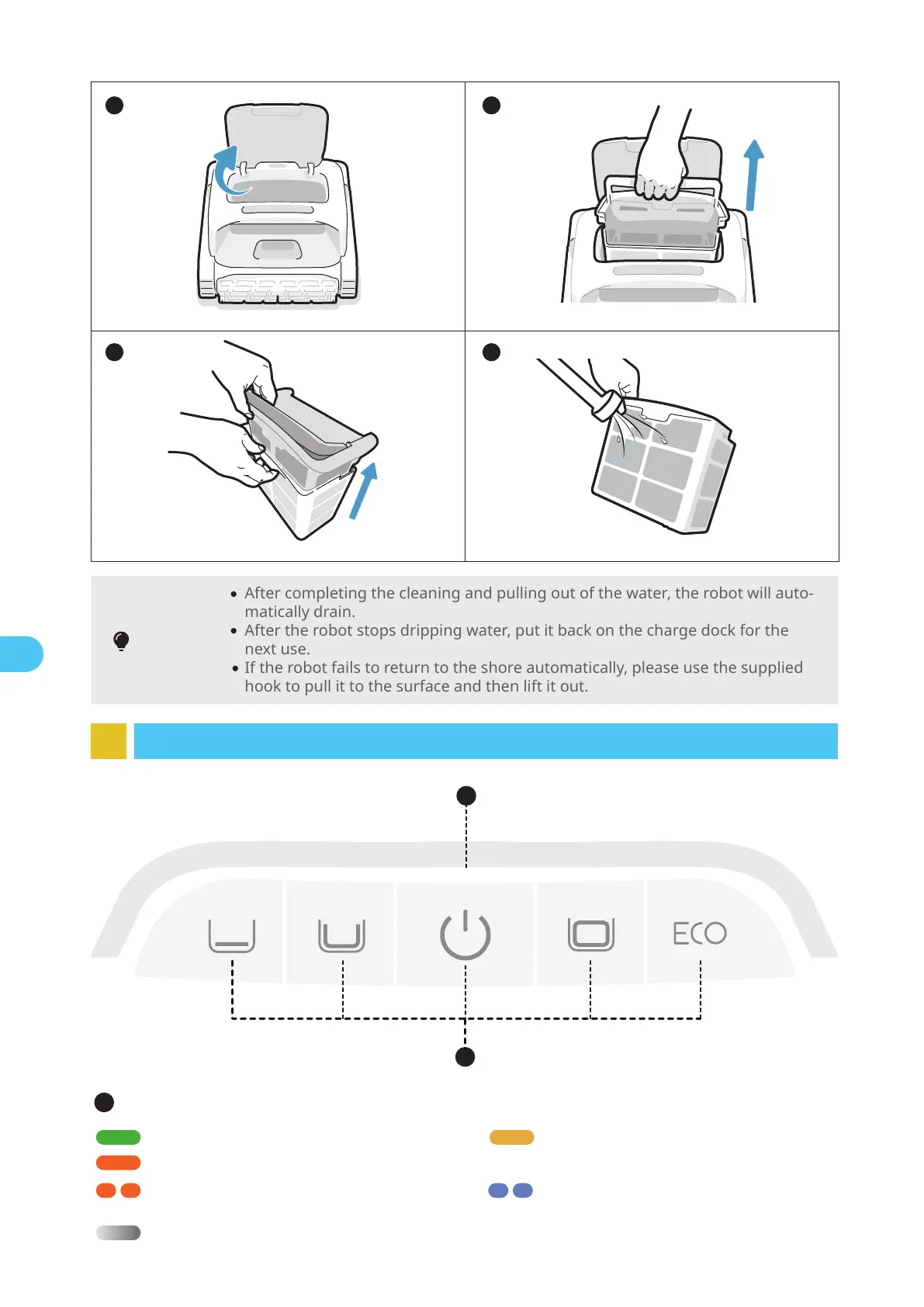
After completing the cleaning and pulling out of the water, the robot will auto-
matically drain.
After the robot stops dripping water, put it back on the charge dock for the
next use.
If the robot fails to return to the shore automatically, please use the supplied
hook to pull it to the surface and then lift it out.
Tips
5 6
8 Lighting Effects
2
1
3 4
EN
Network configuring/
OTA upgrading
Flashing blue light
Panel Indicator
Sufficient battery power Solid green light
15%≤Battery≤30%Solid yellow light
Battery ≤15%Solid orange light
1
Robot malfunctionFlashing orange light
ChargingBreathing light (The displayed light color corresponds to the current battery level)


 To Next Page