EasyManua.ls Logo

Beats Electronics Mixr - Responsible Usage Guidelines; Safe Listening and Environmental Awareness; Using the Remote Mic; Remote Mic Functions Overview

Beats Electronics Mixr
12 pages
Print Icon
To Next Page IconTo Next Page
To Previous Page IconTo Previous Page
Loading...
English
" .... a
typical
person
can
safely listen
to
an
iPod for 4.6 hours
per
day
at
70%
volume."
" ....
knowing
the
levels
one
is
listening
to
music
at.
and
for
how
long
is
extremely
important."
From
http:/
/www.cbc.ca/health/story/2006/l
0/19/music-earphones.html
Get
the
most
out
of
your
equipment
and
enjoy
great
audio
performance
even
at
safe levels.
Our
headphones
will
allow
you
to
hear
more
details
at
lower
volume
levels
than
ever before.
Use Responsibly
Do
not
use
headphones
when
it's
unsafe
to
do
so-while
operating
a vehicle,
crossing streets.
or
during
any
activity
or
in
an
environment
where
your
full
attention
to
your
surroundings
is
required.
It's
dangerous
to
drive
while
wearing
headphones.
and
in
many
places.
illegal
because
it
decreases
your
chances
of
hearing
life-saving sounds
outside
of
your vehicle, such as
another
car's
horn
and
emergency
vehicle
sirens. Please
avoid
wearing
your
headphones
while
driving.
Use
an
FM
transmitter
to
listen to
your
mobile
media
devices
instead.
Learn
how
to
establish a safe listening level
and
review
other
important
safety
guidelines
from
the
Consumer
Electronics Association
at
www.ce.org
and
the
Deafness Research
Foundation
at
www.drf.org.
6
English
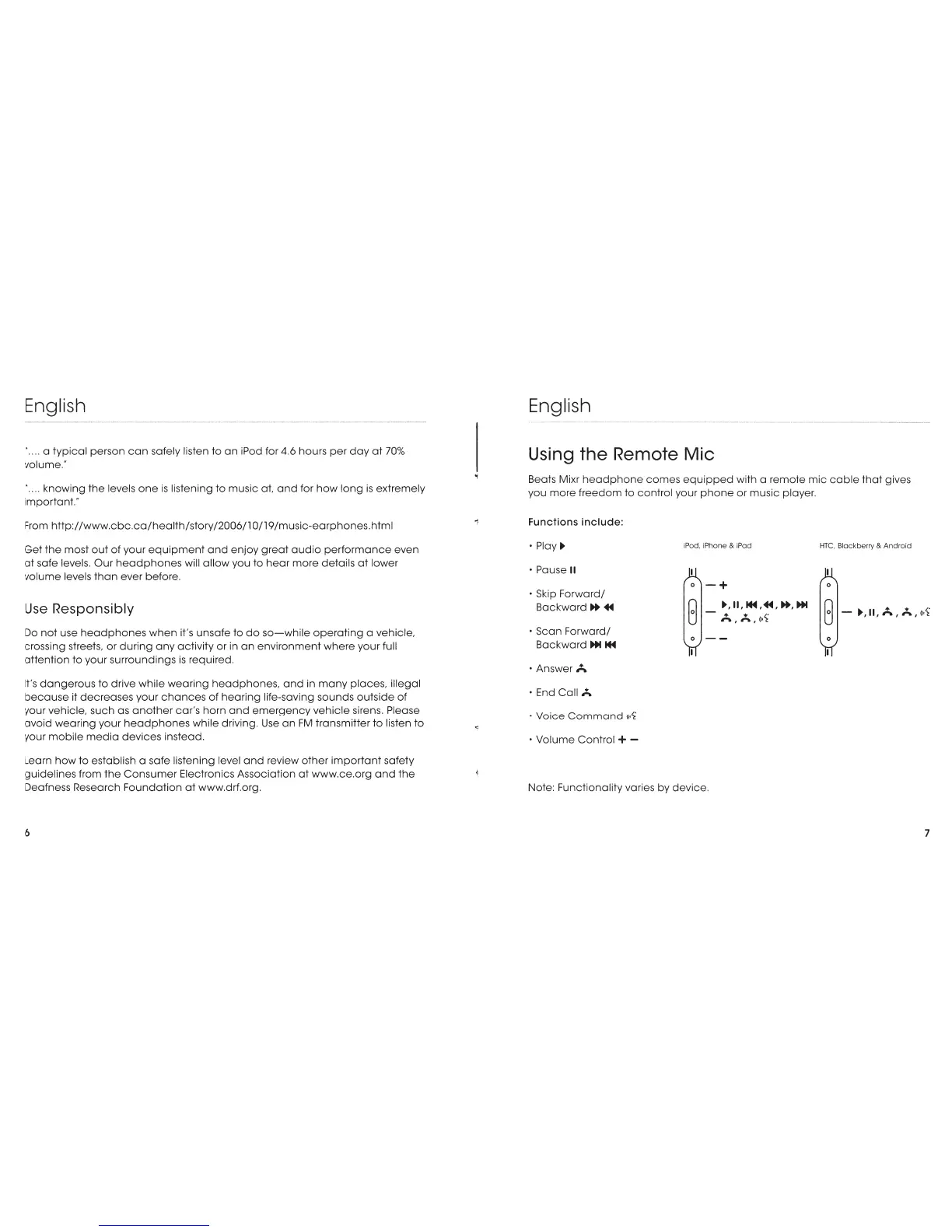
Using
the Remote Mic
Beats Mixr
headphone
comes
equipped
with a
remote
mic
cable
that
gives
you
more
freedom
to
control
your
phone
or
music
player.
Functions include:
·Play!)>
iPod. iPhone & iPad
HTC.
Blackberry &
Android
Pause II
0
-+
0
Skip
Forward/
Backward.,.,
..
G
G -
.,
'
II'
A '
,;..
'
(<•1
·Scan
Forward/
Backward
...
1+4
·Answer
A
End Call ,;..
Voice
Command
<•·1
Volume
Control + -
0
--
Note: Functionality varies
by
device.
0
7

Related product manuals