EasyManua.ls Logo

Beats Electronics Mixr - Remote Mic Operation Details; Play;Pause and Track Skipping; Scanning and Call Handling; Voice Command and Volume Control

Beats Electronics Mixr
12 pages
Print Icon
To Next Page IconTo Next Page
To Previous Page IconTo Previous Page
Loading...
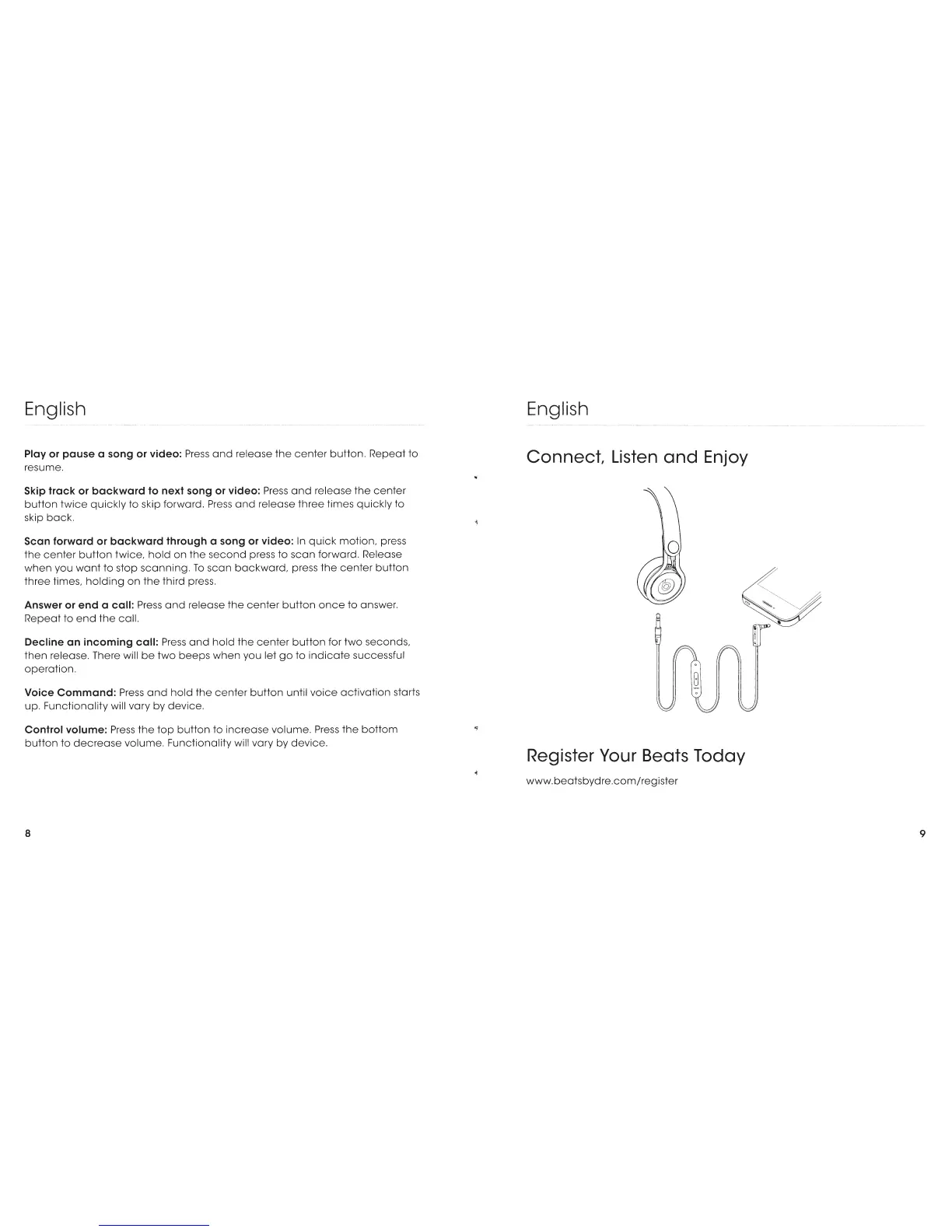
English
Play
or
pause a song
or
video:
Press
and
release
the
center
button.
Repeat
to
resume.
Skip track or
backward
to next song
or
video:
Press
and
release
the
center
button
twice
quickly
to skip forward.
Press
and
release
three
times
quickly
to
skip
back.
Scan forward or
backward
through a song
or
video:
In
quick
motion,
press
the
center
button
twice,
hold
on
the
second
press
to
scan
forward. Release
when
you
want
to
stop
scanning.
To
scan
backward,
press
the
center
button
three
times,
holding
on
the
third press.
Answer
or
end
a call:
Press
and
release
the
center
button
once
to
answer.
Repeat
to
end
the
call.
Decline
an
incoming call:
Press
and
hold
the
center
button
for
two
seconds,
then
release. There will
be
two
beeps
when
you let
go
to
indicate
successful
operation.
Voice
Command:
Press
and
hold
the
center
button
until
voice
activation
starts
up.
Functionality
will
vary
by
device.
Control volume:
Press
the
top
button
to
increase
volume.
Press
the
bottom
button
to
decrease
volume.
Functionality will
vary
by
device.
8
English
Connect,
Listen
and
Enjoy
Register Your Beats Today
www.beatsbydre.com/register
9

Related product manuals