14
Using the Remote Mic
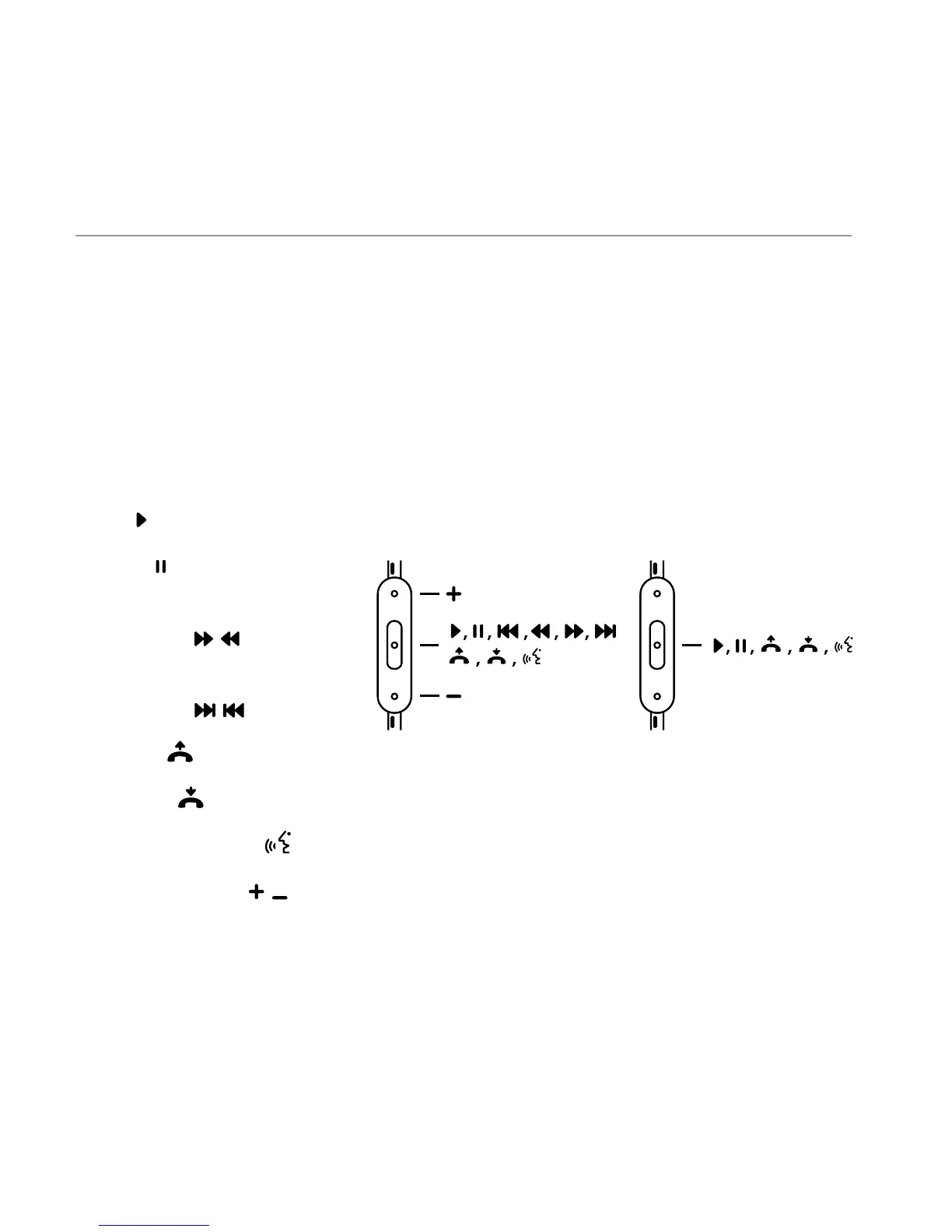
Beats Wireless comes equipped with a convenient remote mic cable allowing
you to take calls and talk hands-free when Bluetooth® connectivity is not
accessible. Some functionality will vary by phone model. Please consult your
phone’s owner’s manual.
English
Functions include:
• Play
• Pause
• Skip Forward/
Backward
• Scan Forward/
Backward
• Answer
• End Call
• Voice Command
• Volume Control
Note: Functionality varies by device.
HTC, Blackberry & AndroidiPod, iPhone & iPad





 To Next Page