Charge
Plug your earphones into a power source using the included Lightning cable. Your
earphones provide up to 8 hours of playback from a full charge, and up to 2 hours of
playback from 5-minute charge.
When your earphones are turned on and set up, the LED indicator light on the power
button shows how much listening time is left:
o White: Up to 8 hours left
o Red: Less than an hour left
o Blinking red: Needs to charge
Control
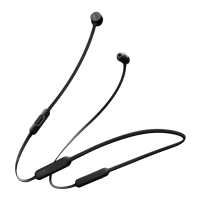
To control audio playback, use the center button on the RemoteTalk cable:
o Press once to play or pause audio playback.
o Press twice to skip to the next track. Press three times to skip backward.
o Press twice and hold on the second press to scan forward through a track. Press
three times and hold on the third press to scan backward through a track.
To control playback volume, use the volume buttons on the RemoteTalk cable. To
control call volume, use the volume controls on your phone.
o Press and release the volume up button, or press and hold to increase volume
continuously
o Press and release the volume down button, or press and hold to decrease volume
continuously.
To control phone calls, use the center button on the RemoteTalk cable:
o Press once to answer or end a call.
o Press once to answer a second incoming call and put the first call on hold. When
two calls are active, this switches between calls.
o Press and hold for about a second to reject an incoming call.
o Press twice to stop listening through your earphones and send the call to the
phone.













 To Next Page