08
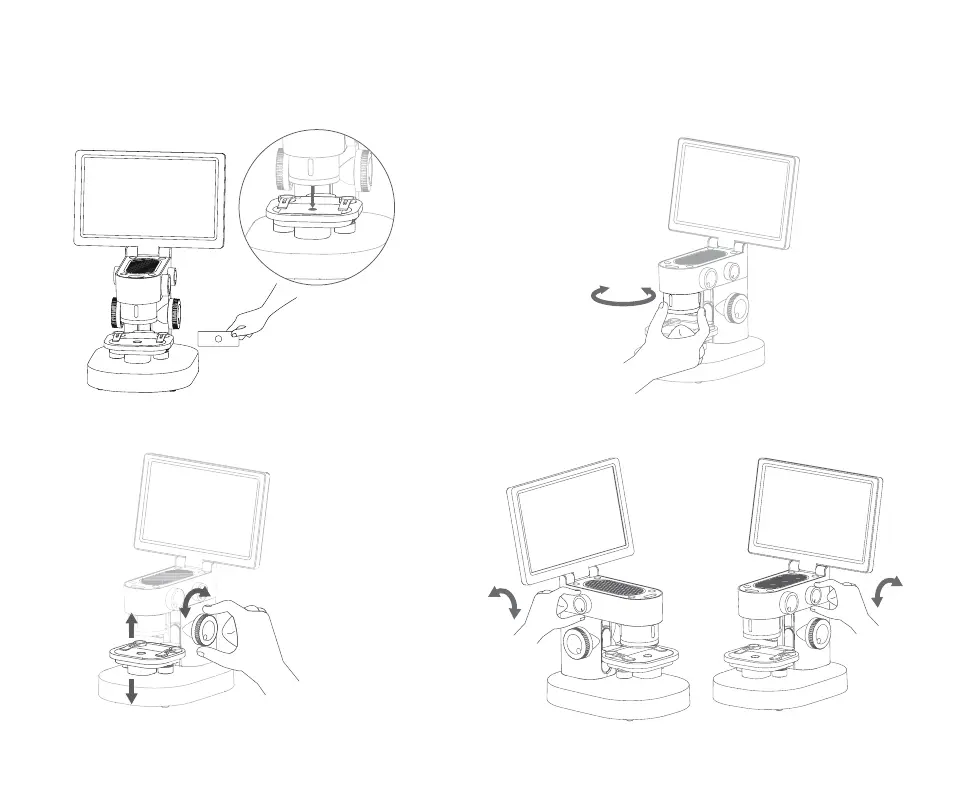
5. Remove the lens cover and put in the observation items
(note that the specimen should be facing the eyepiece)
7. Raise the platform to a suitable height
6. Select the multiple to be observed (note
that the specimen should be facing the
eyepiece)
8. Adjust the intensity of bottom
lighting and top lighting


 To Next Page