一、Connect To Mobile Phone
Purpose:
Read the pictures in the microscope memory with the mobile phone or copy them to the mobile phone.
Operation method:
① Plug the data cable into the DC5V charging port of MX microscope, plug the adapter into the mobile phone end,
and connect the data cable with the adapter.
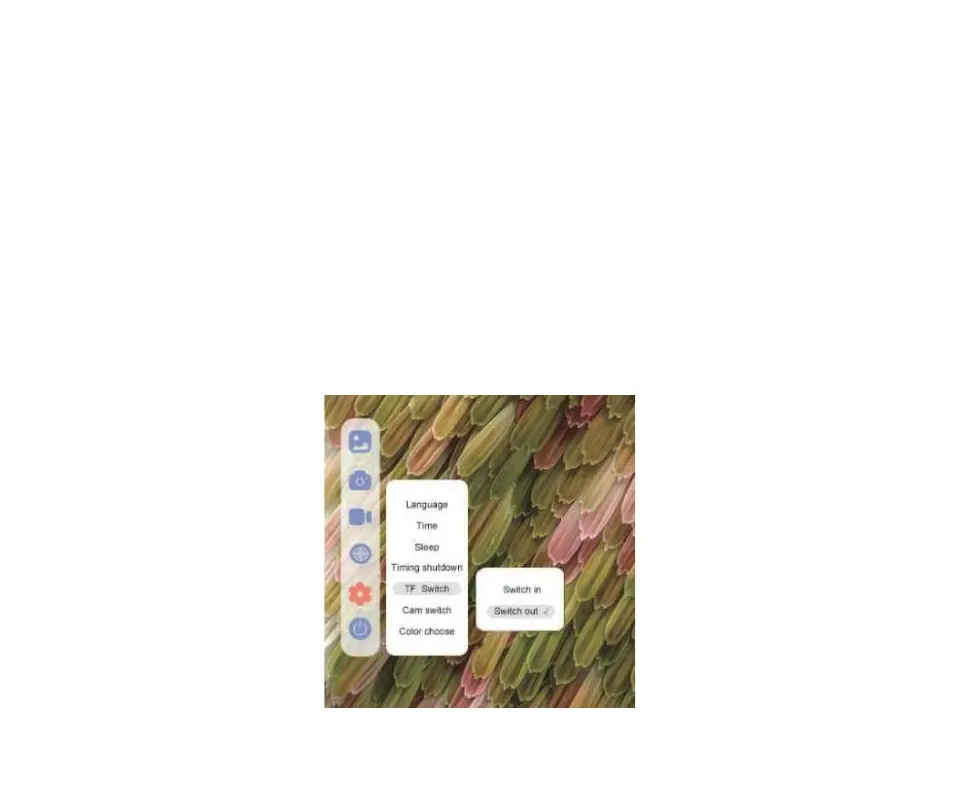
② Open the MX microscope and click: Setting → Memory card switching → Cut out in sequence. At this time, the
screen will darken.
6 Function Description Of External Equipment
13


 To Next Page