5
(B) Parent Unit (PU)
1.Operation from battery pack
The Li polymer battery pack is already installed in the unit.
2. Charging the battery pack
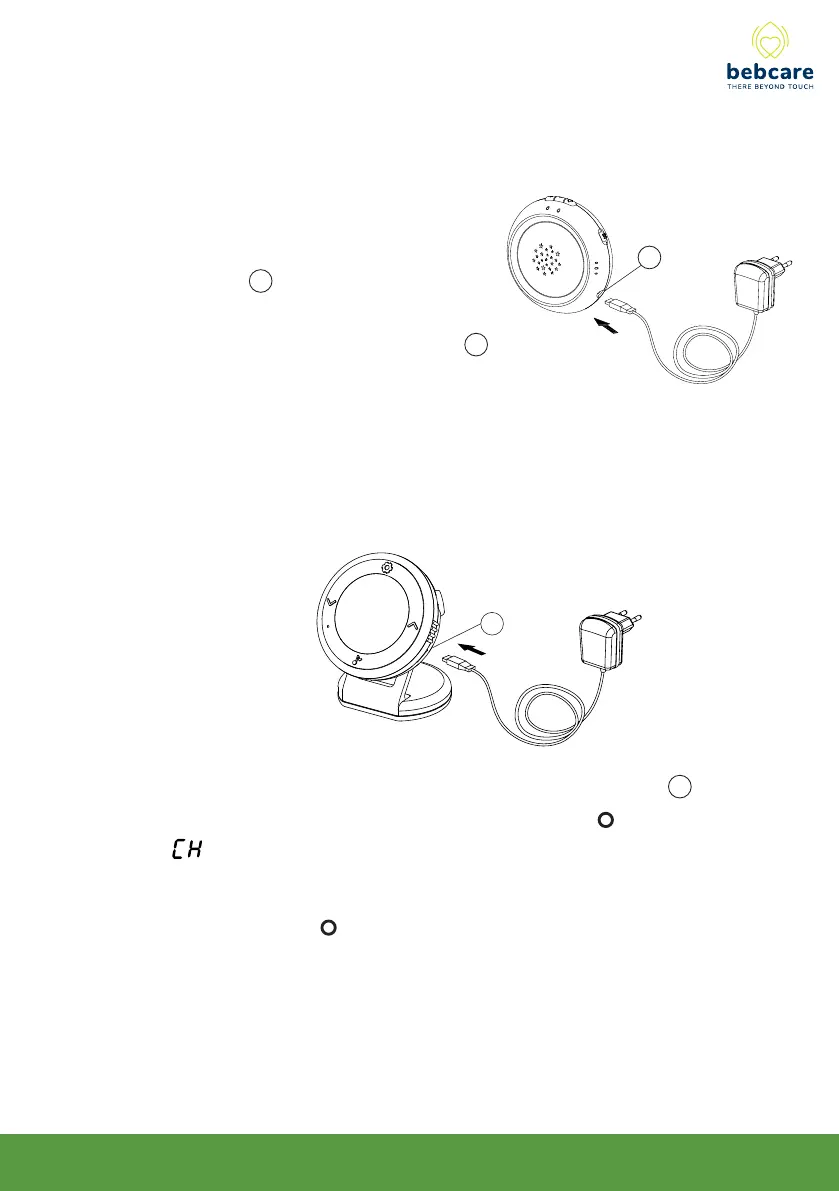
Connect the output plug of supplied 5V AC adapter to USB port 17 . With the
unit being switched off, the Power / charging indicator will light up red and
qqq will show up on icon screen for 5 sec.
2. Operation using AC adapter
The unit can be operated on AC mains
using the supplied 5V AC adapter.
Connect the output plug of adapter to
USB port 9 . The power supply from the
battery will be cut off once the adapter’s
output plug is inserted into USB port 9 .
9
17
Once battery is charged up (normally it takes around 4 hours), the power /
charging indicator will go off or turn green ( if unit is switched on ). Now
the unit is ready for operation. Either you can disconnect the AC adapter or
keep connecting will cause no damage to the battery. In the latter case,
when the battery is being consumed and voltage falls to a certain level, AC
adapter will automatically start charging up the battery again.



 To Next Page