27
9
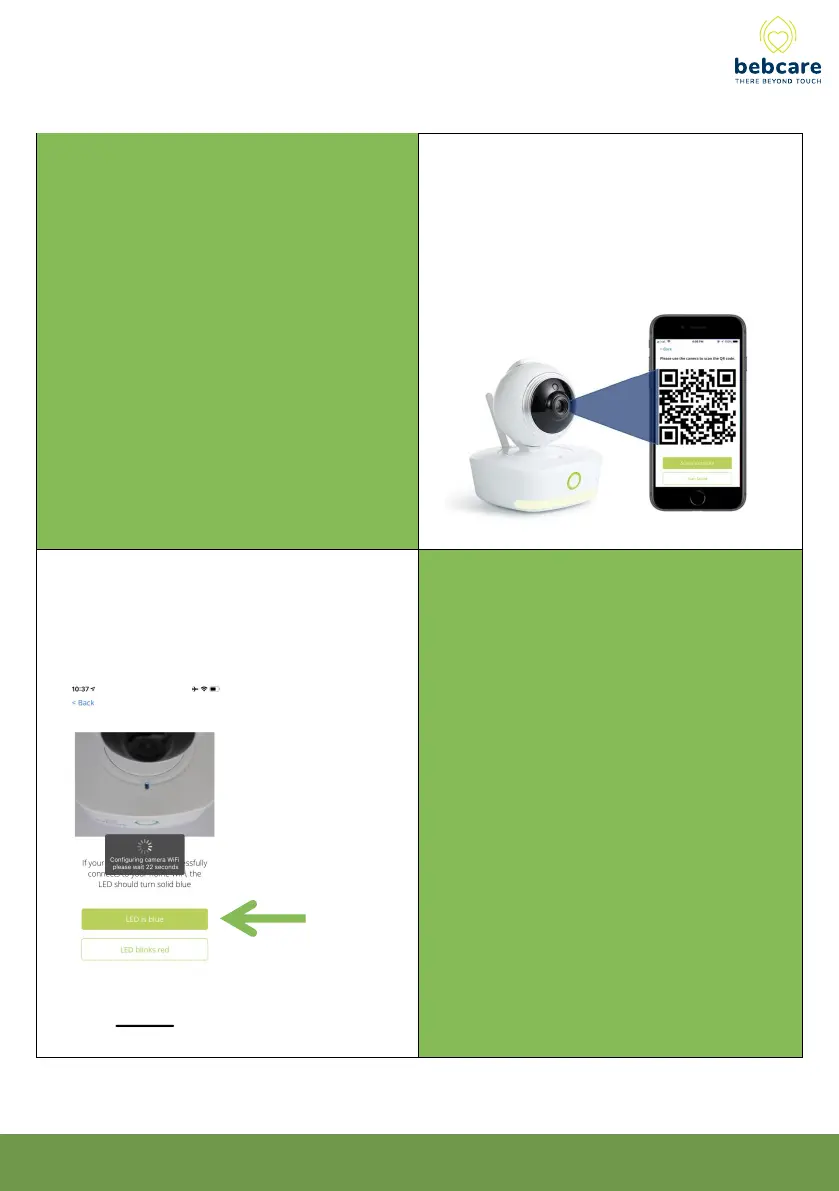
Hold the generated QR code in front of the
camera. This QR code transmits the WiFi
connection information to the camera. You can
move your phone back and forth and maintain a
distance of around 20cm in front of the camera.
A voice prompt from the camera confirms the
QR scan is successful.
Once the QR code is scanned by the camera, the
camera begins to connect to your WiFi network.
A successful connection to WiFi network is
confirmed by a voice prompt from the camera.
The LED at the top will turn blue.
10



 To Next Page