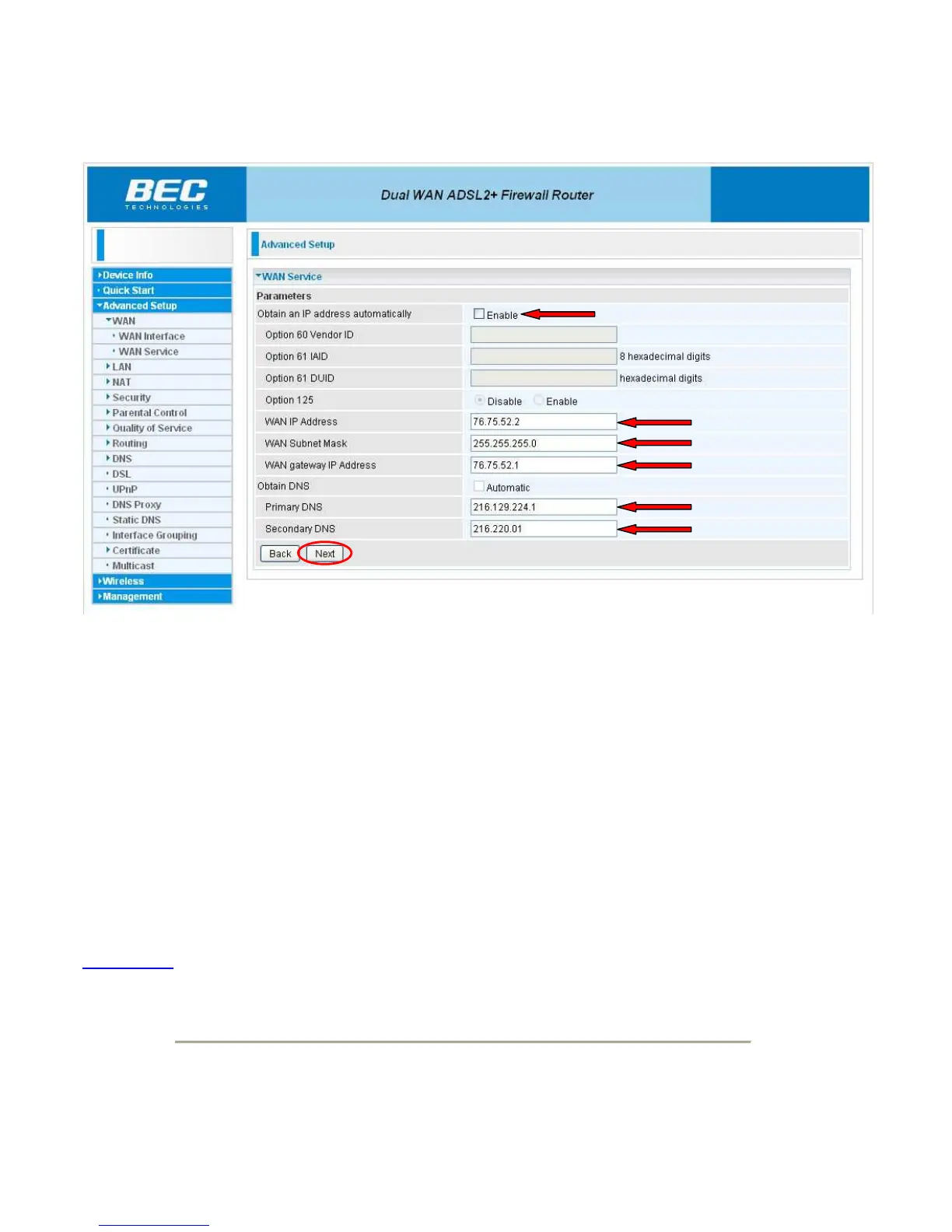
First uncheck the “Enable” checkbox next to “Obtain an IP address automatically”. Now enter the
customers static IP address in the “WAN IP Address” box. The subnet mask will go in the “WAN
Subnet Mask” box and their gateway IP will go in the “WAN gateway IP Address Box”.
Next the DNS information will need to be put in. Enter these in the “Primary DNS” and “Secondary
DNS” boxes and then click the “Next” button.
At this time the “Primary DNS” is 216.129.224.1 and the “Secondary DNS” is 216.220.0.1
Back to Top



 To Next Page