EasyManua.ls Logo

BEC EG-210N - Network Connections; LAN Connection; Ethernet WAN Connection

Default Icon
11 pages
Print Icon
To Next Page IconTo Next Page
To Previous Page IconTo Previous Page
Loading...
BEC EG-210N GigaConnect
®
Smart Gateway
5
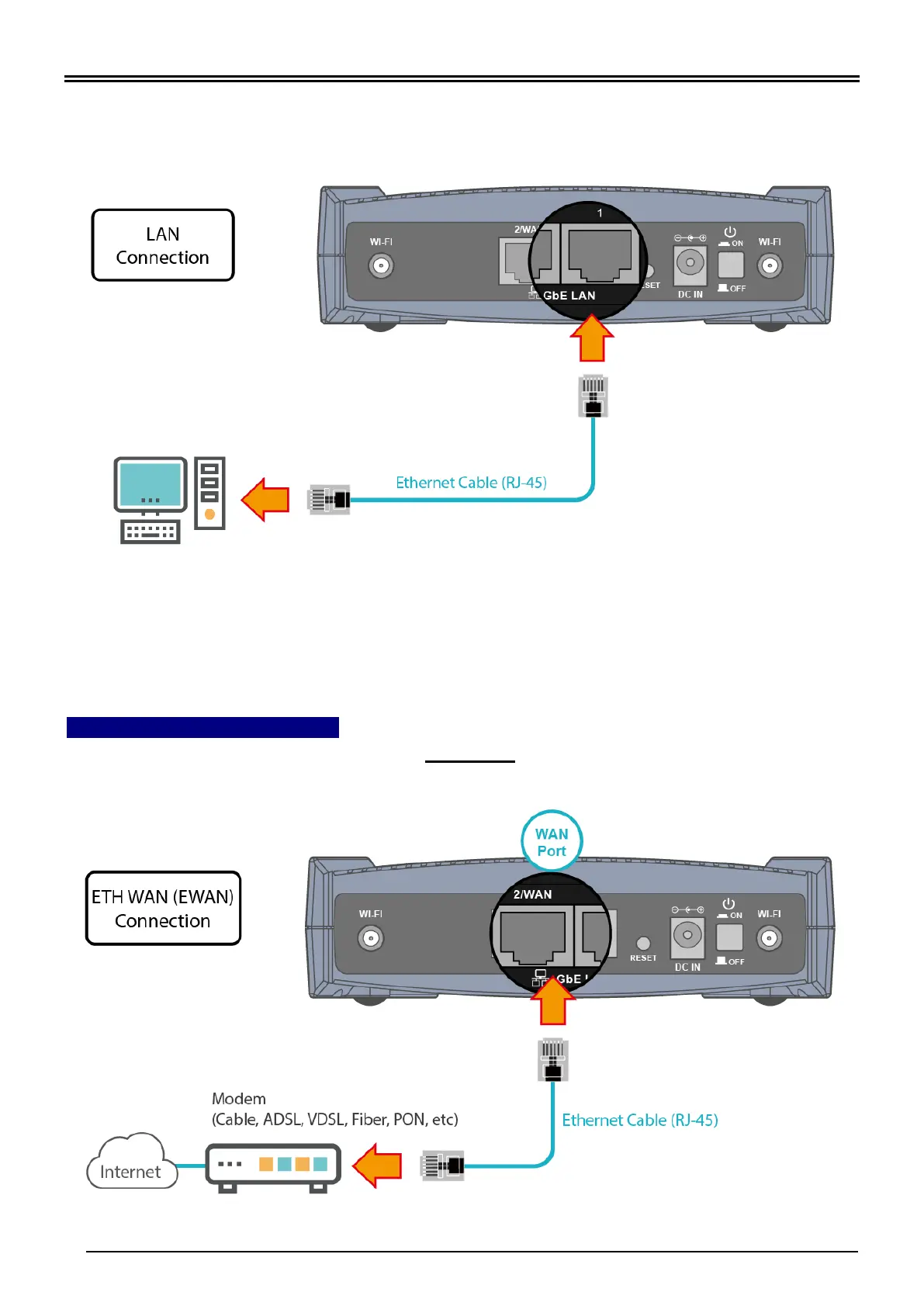
2. LAN Connection
Plug the RJ-45 Ethernet cable to one of the Ethernet ports, and the other side to the PC’s
Ethernet interface.
3. WAN Link Interface and Connection
BEC EG-210N supports failover and failback on dual WAN interfaces, Ethernet WAN and
Wi-Fi WAN. <Please refer to User Manual for detailed Internet setup>
3.1 Ethernet WAN Connection
Connect RJ-45 Ethernet cable to the WAN port and connect the other side to another
alternative broadband device, such as Cable Modem, VDSL, Fiber Modem or PON optic
lines.

Related product manuals