Need help?
Do you have a question about the BECA BAC-1000 series and is the answer not in the manual?
Enables a convenient lifestyle through easy thermostat operation.
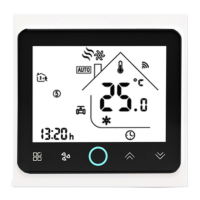
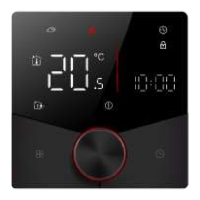
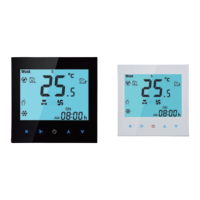
Available in black and white housing to complement any decor.
Allows global management of home temperature via smartphone or tablet.
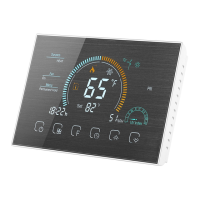
Its fashionable design integrates seamlessly with various interior décors.
Offers a zero service fee, providing cost-effective operation.
Provides remote control via mobile app or computer using Wi-Fi.
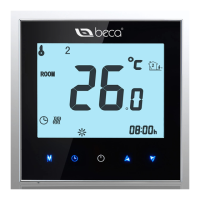
Features a backlit touch screen for clear readability, even in low-light conditions.
Ensures precise temperature control with an accuracy of ±0.5°C.
Designed with an intuitive UI for ease of use, even for children.
Thanks the user for their purchase and highlights the product's quality and design.
Details the 18-month warranty period and potential service charges outside this period.
Lists all items included in the product packaging for the user's reference.
Modern touch screen thermostats for controlling fan coil units and valves in HVAC systems.
Explains the coding system for different thermostat models and their features.
Provides the physical dimensions and mounting requirements for installation.
Identifies and explains all elements and icons displayed on the thermostat's home screen.
Outlines key technical data including sensor, accuracy, temperature range, and materials.
Provides visual guides for connecting the thermostat for two-pipe and four-pipe systems.
Step-by-step instructions for physically installing the thermostat on the wall.
Critical safety notice to disconnect power before making electrical connections.
Instructions for powering the device and selecting between manual and programmable modes.
Details on adjusting temperature, fan speed, and system modes (Heating, Cooling, Ventilation).
Procedures for initiating Wi-Fi configuration and restoring factory default settings.
Steps to set the device's clock and configure the automatic sleep mode.
Guide for programming temperature and time settings for each day of the week.
Accessing and modifying various system functions and operational options.
Lists configurable parameters such as temperature compensation, fan control, and button locking.
Instructions for downloading the required mobile application for thermostat control.
Steps to establish a Wi-Fi connection between the thermostat and the mobile device.
Details on connecting to the thermostat's specific Wi-Fi network name (SSID).
Process for selecting the correct server address within the mobile application.
Guide on how to add and manage multiple rooms within the app interface.
Explains the visual cues (colors) indicating system mode and connection status.
Instructions for adding new rooms and removing existing ones from the app.
Information regarding the control of a single thermostat by multiple mobile devices.
Describes the waiting period for device matching and network searching after setup.
Using the app interface to operate power, modes, and fan speed.
Options for selecting internal/external sensors and setting custom room photos.
Activating economy mode and switching to manual temperature control.
Configuring timed temperature schedules for different days of the week.
Procedure to update the server address within the app for remote connectivity.
 General
| Brand | BECA |
|---|---|
| Model | BAC-1000 series |
| Category | Thermostat |
| Language | English |

 To Next Page