Need help?
Do you have a question about the BECA BHP-8000 and is the answer not in the manual?
Defines supported heating and cooling system types for the thermostat.
Instructions for mounting the thermostat and selecting the optimal location.
Crucial safety and preparation steps to follow before commencing installation.
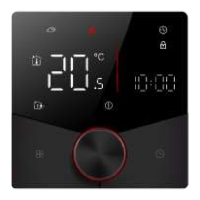
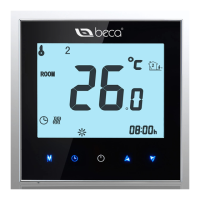
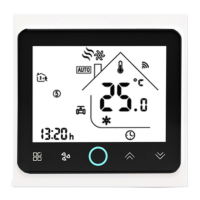
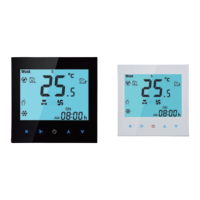
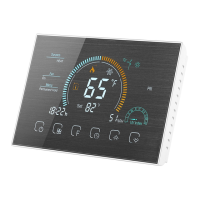
Details about the thermostat's visual design, display, and physical attributes.
Key operational capabilities including Wi-Fi, temperature accuracy, and scheduling.
Overview of the thermostat's main interface, controls, and status indicators.
Procedure for setting the device's current time and day of the week.
Steps to program daily temperature setpoints across multiple periods.
Guide for setting a temporary temperature for a specified duration or holiday.
Accessing and modifying deeper system settings and configurations.
Important warnings regarding electrical shock and potential equipment damage.
Specifications including power supply, temperature ranges, and accuracy limits.
Instructions for downloading the BecaSmart mobile application for iOS and Android.
Steps to create a new user account for the BecaSmart app.
Procedure for connecting the thermostat to your home Wi-Fi network.
Guide to setting temperature schedules and modes via the mobile app.
Instructions for grouping multiple thermostats for simultaneous control.
Steps to share thermostat control with family members via the app.
Guide for integrating the thermostat with voice assistants.
Explanation and usage of custom automation scenes for temperature control.
Common issues and their solutions for thermostat operation.
Details on warranty and service contact for the thermostat.
Information on FCC compliance, interference, and RF exposure requirements.
This document describes the Beca BHT-8000 Room Thermostat, a device designed to provide comfortable temperature control within your living space. The thermostat is part of a smart home ecosystem, allowing users to manage their home environment efficiently and conveniently.
The BHT-8000 Room Thermostat is a versatile device that supports various heating and cooling systems, including water heating, electric heating, and gas boilers. It offers multiple modes of operation, such as Auto, Cool, Heat, and Emer (Emergency), to adapt to different environmental needs. The thermostat can be programmed with a weekly schedule, allowing users to set specific temperatures for different times of the day and days of the week, optimizing energy consumption and comfort.
A key feature of this thermostat is its Wi-Fi connectivity, which enables remote control and monitoring via a smartphone application. This means you can adjust settings, change modes, and view the current room temperature from anywhere, as long as you have an internet connection. The device also integrates with popular voice assistants like Amazon Echo and Google Home, providing hands-free control for added convenience.
The thermostat includes a "Holiday Hold" function, which allows users to set a specific temperature for an extended period, ideal for when you are away from home. This helps save energy while ensuring your home remains at a desired temperature upon your return. Additionally, there's a "Temporary Hold" option for short-term temperature adjustments that will revert to the programmed schedule after a set period.
For safety and convenience, the thermostat features a "Keypad Lock" function to prevent unintended changes to settings, especially useful in households with children. It also has a "Frost Protection" mode, which automatically activates heating if the room temperature drops below a certain threshold, protecting pipes from freezing in colder climates.
The device supports various advanced settings, including temperature calibration, fan control, and different sensor modes (internal, external, or both). These options allow for fine-tuning the thermostat's performance to match specific user preferences and room characteristics. The "Filter Reminder" function helps users keep track of when to change their HVAC system's air filter, promoting better air quality and system efficiency.
To begin using the BHT-8000 Room Thermostat, you first need to download the "My BecaSmart" application on your smartphone or tablet, available for both iOS and Android devices. After installing the app, you'll need to register an account, which involves providing your phone number or email and setting a password.
The next step is to connect the thermostat to your home's Wi-Fi network. This process typically involves putting the thermostat into pairing mode, which is indicated by a rapidly blinking backlight. The app will then guide you through selecting your Wi-Fi network and entering the password. The device supports both EZ mode for quick connections and AP mode for more challenging network environments. Once connected, your thermostat will appear on the app's home screen, ready for configuration.
From the app, you can easily program your weekly schedule. The schedule allows you to define different temperature settings for various periods, such as "Get Up," "Go Out," "Go Home," and "Sleep." This ensures your home is always comfortable when you're there and energy-efficient when you're not. You can customize these periods and temperatures for each day of the week.
The app also allows you to create "Smart Scenes," which are automated actions based on specific conditions. For example, you can set a scene to automatically turn on the thermostat if the outdoor temperature drops below a certain point, or to adjust the temperature when you arrive home. These scenes can incorporate various conditions like temperature, humidity, weather, and device status, offering a high degree of automation for your smart home.
Device sharing is another useful feature, allowing multiple family members to control the thermostat from their own smartphones. You can easily add accounts to share control, ensuring everyone in the household can manage the home's climate.
The integration with voice assistants like Amazon Echo and Google Home is straightforward. Within the app, you can link your BecaSmart account to your voice assistant platform, enabling commands such as "Alexa, set the thermostat to 72 degrees" or "Hey Google, turn off the heating."
The physical interface of the thermostat itself is designed for ease of use. It features a clear LCD display that shows the current temperature, mode, and other relevant information. Touch buttons allow for manual adjustments, mode changes, and access to settings directly on the device. The backlight ensures visibility in various lighting conditions.
The BHT-8000 Room Thermostat is designed for reliable operation with minimal maintenance. However, in the event of any issues, the manual provides simple troubleshooting steps. For instance, if the power is on but there's no display, it suggests checking the connections between the LCD panel and the power unit box. If the display works but there's no output, it recommends replacing the LCD panel or power unit box.
For minor discrepancies in room temperature readings, the device offers a temperature calibration feature within the advanced settings. This allows users to fine-tune the sensor's accuracy to match the actual room temperature.
The device comes with a 24-month warranty from the date of purchase, ensuring support for any manufacturing defects. For service outside the warranty period, charges may apply, and users are advised to contact customer support directly.
The thermostat is built to comply with FCC regulations, ensuring it operates without causing harmful interference to other electronic devices. In case of interference, the manual provides guidance on how to reorient the receiving antenna, increase separation between equipment, or consult a technician.
Overall, the BHT-8000 Room Thermostat is a comprehensive solution for smart home climate control, offering a blend of advanced features, user-friendly operation, and robust support.
 General
| Sensor | NTC |
|---|---|
| Protection Class | IP20 |
| Current Load | 16A (Resistive Load) |
| Accuracy | ±1°C |
| Set Temp. Range | 5°C to 35°C |
| Ambient Humidity | ≤95% RH (Non-condensing) |
| Shell Material | Flame-retardant ABS |

 To Next Page