24
BOM 520/820 Operating Instructions
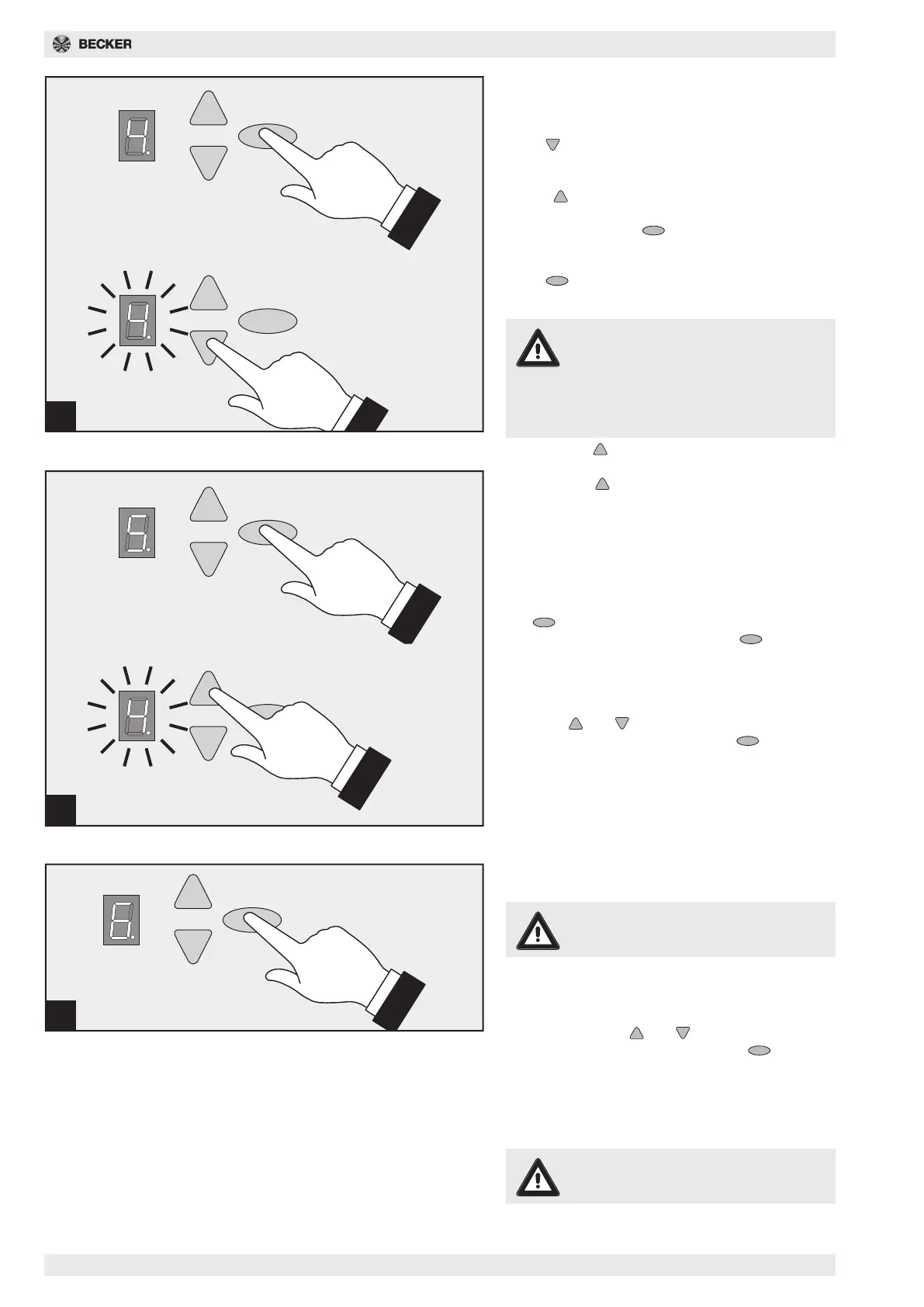
Fig. 18 - Menu step 4: Setting the bot-
tom end position
Wait briefly until number 4 flashes.
Press button. The drive will move the door in the
DOWN direction while the button is pressed down.
The position can be corrected in the UP direction us-
ing the button.
When the desired DOWN end position has been
reached, press the button. Drive stores the
DOWN end position and number 5 appears on the
display.
Press button twice until the number 0 appears.
18a Power programming run
Attention
During this ascent and descent the
drive programs the power curves and is
not power-limited! The movements
must not be interrupted. The display
shows number 0 during these move-
ments.
- Press the button. The drive ascends until the
top end position has been reached.
- Press the button again. The drive descends
until the bottom end position has been reached.
- The number 0 disappears after approx. 2 sec-
onds.
Fig. 19 - Menu step 5: Power limitation
for ascent
If you have exited the setting menu beforehand, keep
the button pressed down for 3 seconds until
number 3 appears. Then press the button 2 x
until number 5 appears.
After approx. 2 seconds the display flashes with the
set value for the power limitation for ascent. A larger
or smaller value can be set for the power limitation
using the and buttons.
When setting is complete, press the button.
Number 6 appears.
18
19
20
Fig. 20 - Menu step 6: Power limitation
for descent
Attention
The force on the main closing edge
must not exceed max. 150N!
The display flashes after approx. 2 seconds and the
set value for the power limitation for descent is dis-
played.
A larger or smaller value can be set for the power
limitation using the and buttons.
When setting is complete, press the button. 0
appears on the display.
Then check the power settings and repeat setting if
necessary.
The force on the main closing edge must not exceed
max. 150N!
Attention!
If the force is set too high, injuries may
result.
The factory setting is 4!



 To Next Page