25
BOM 520/820 Operating Instructions
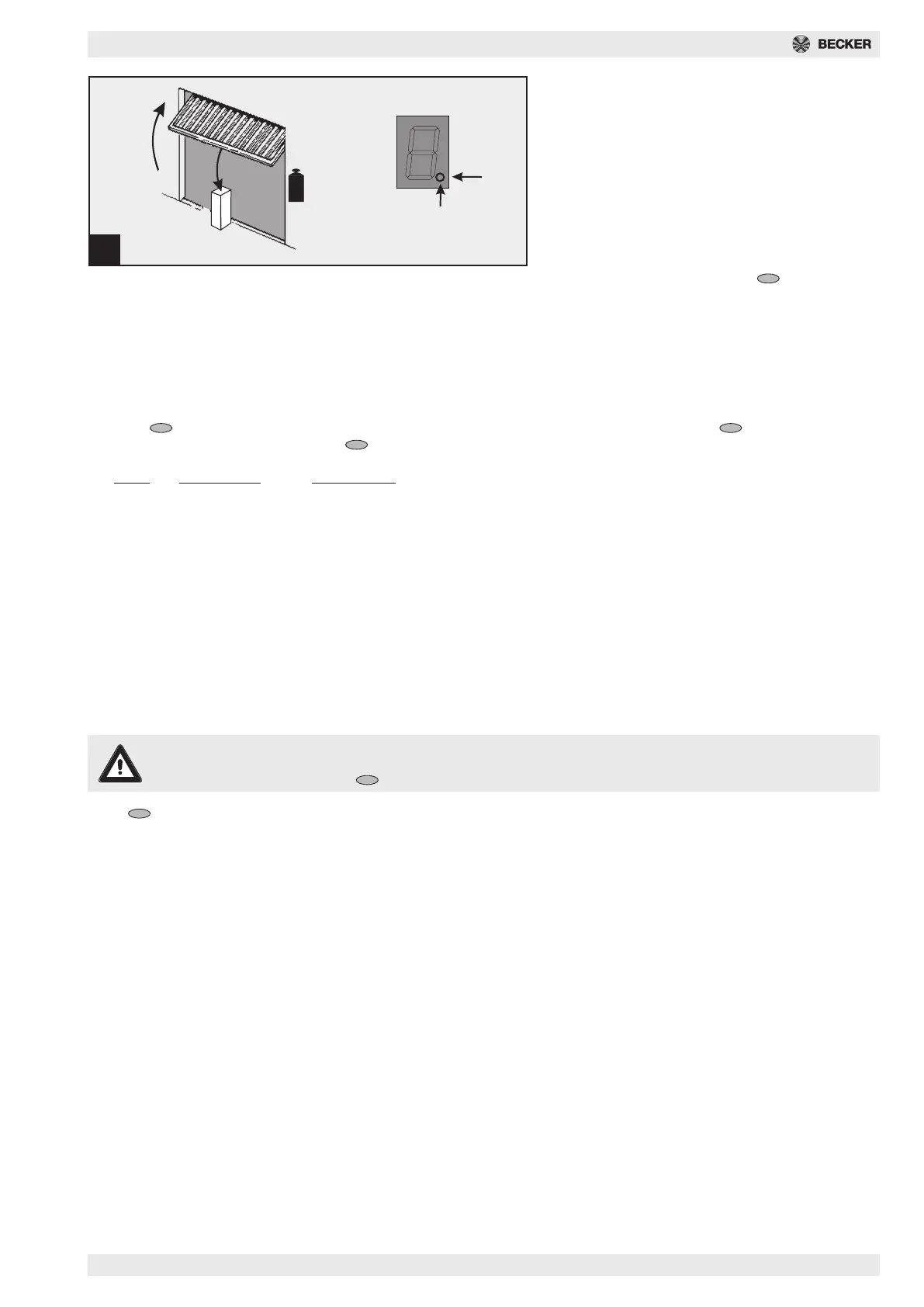
Fig. 21 - Checking the power limitation
device
- Position obstacle (e.g. drive box) beneath the
door’s closing edge.
- Start door from the UP end position.
- Drive contacts the obstacle and stops, then re-
turns to the top end position.
- Point display (a) must switch off for approx. 1
second. The drive will then operate fault-free.
If springs have been changed on the door, then a
new power programming run must be carried out:
Go to menu step 5 and keep the button pressed
down for 3 seconds. The number 0 will appear. Then
carry out power programming run as explained in
point 18a.
21
15
kg
F =
1 sec.
a
Special settings
Menu step 7: Lighting times
Keep the button pressed down for 3 seconds. The number 3 appears in the display. Press the button several times,
until menu step 6 is displayed. Keep the button pressed down for another 3 seconds until number 7 appears.
Menu Lighting time Warning time
0 60s -
1 90s -
2 120s -
3 240s -
40s 3s
5 90s 3s
6 240s 3s
7 0s 10s
8 90s 10s
9 240s 10s
If the warning time is set, the light will flash before the drive starts and during movement. The factory setting is 1.
Menu step 8: Soft run sections
Note
The factory setting of 4 must be retained. Any change in the soft run sections requires the express approval of
the door manufacturer. Press button. The number 0 appears on the display.
Press button. Number 8 appears on the display.
Menu value Start Up Stop Up Start Down Stop Down
00 000
115 0150
2015060
315151535
425452545
515151560
615151515
735353550
860151585
9 soft run only
This data correspond to the soft run sections measured on the running slide block in cm.



 To Next Page