40
Assembly and Operating Instructions
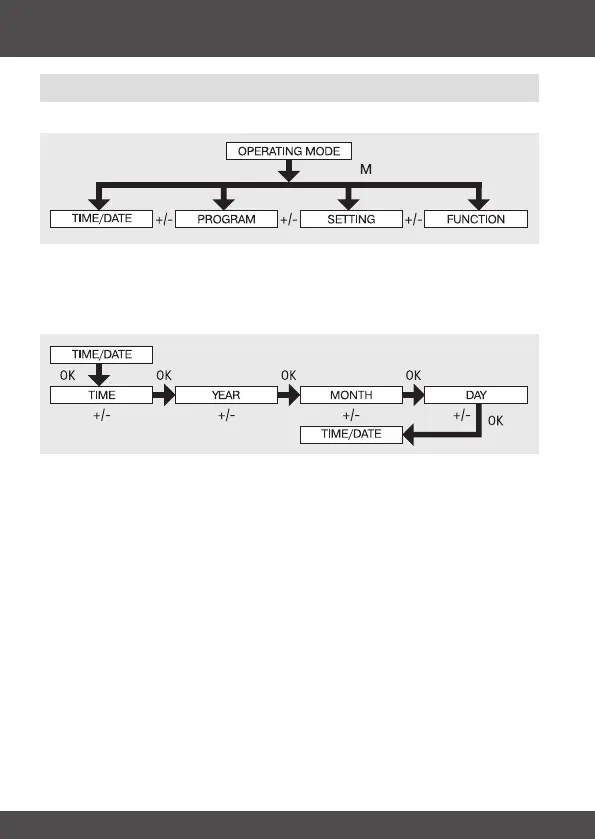
Operating mode – overview of menu
1. Press the MENU button until TIME/DATE appears.
2. To select further menus, press the +/- buttons.
3. Press the MENU button to switch to operating mode.
TIME/DATE (to set the time and date)
1. Press the MENU button until TIME/DATE appears.
2. By pressing OK, you get to the time menu level.
3. Now set the current time using the +/- buttons.
4. If the time is set correctly, conrm by pressing OK.
5. Repeat the above procedure for the settings YEAR, MONTH and DAY. TIME/
DATE appears.
6. Press the MENU button to switch to operating mode.
Programming


 To Next Page