44
Assembly and Operating Instructions
SETTING
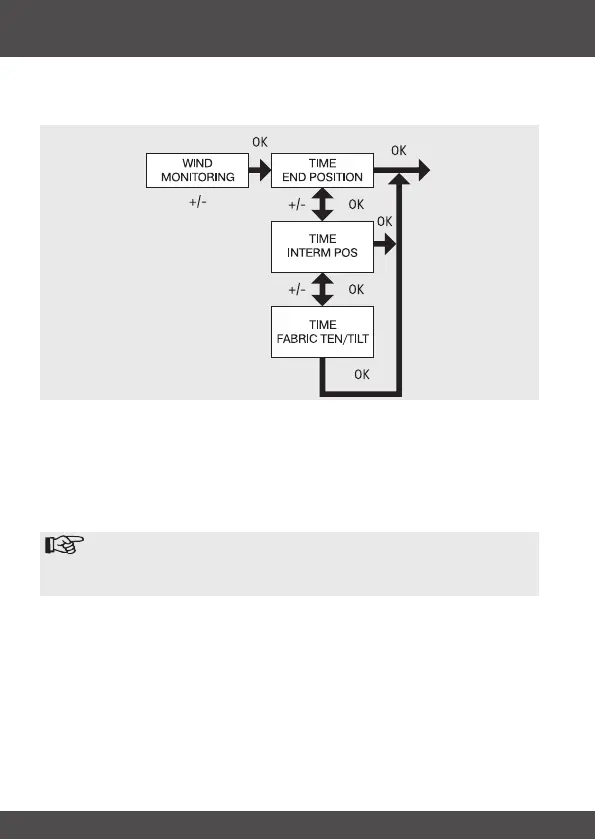
WIND MONITORING, TIME END POSITION, TIME INTERM POS, TIME FABRIC
TEN/TILT
1. You have conrmed the menu option WINTER OFF/ON.
WIND MONITORING appears.
2. Use the +/- button to adjust the wind setting. (The two left-hand gures on the
display show the current wind setting)
3. Press OK to conrm. TIME END POSITION appears.
4. Use the +/- button to choose between TIME END POSITION, TIME INTERM
POS, TIME FABRIC TEN/TILT.
Note
This function allows you to select the position into which the awning/
venetian blind will be moved when the pre-set time is reached.
5. Press OK to conrm your selection.
6. The TIME END POSITION function is now set.
7. For further programming options in the SETTING menu refer to the next sec-
tion.


 To Next Page