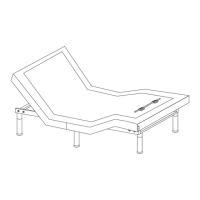
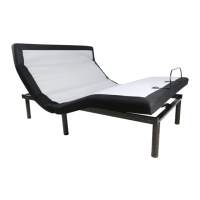
The device is a bedgear® FLEX SH™ Adjustable Base, designed to provide enhanced comfort and functionality for users. It is an adjustable bed foundation that can be set up either without a bed frame or with a bed frame and slat base, offering versatility in installation.
Function Description:
The FLEX SH™ Adjustable Base allows users to customize their sleeping or resting position through various adjustments of the head, foot, and lumbar sections. It features a remote control for easy operation, offering one-touch programmable positions, massage functions, and under-bed lighting. The adjustable base is designed to improve comfort, relieve pressure, and enhance circulation.
Key Features and Specifications:
Adjustable Positions:
- Head/Foot/Lumbar Adjustment: The remote control allows independent adjustment of the head, foot, and lumbar sections of the foundation.
- One-Touch Flat Position: A dedicated button on the remote quickly returns the bed to a flat position.
- One-Touch TV Preset Position: Sets the bed to a comfortable position for watching TV.
- One-Touch ZERO G Preset Position: This position elevates the legs higher than the heart, which helps to relieve pressure on the lower back and promote circulation.
- One-Touch ANTI-SNORE Preset Position: A specific preset to help reduce snoring.
Massage Functions:
- Head Massage: Offers three massage intensities.
- Foot Massage: Offers three massage intensities.
- STOP Button: Turns off both head and foot massages.
Lighting:
- Under Bed LED Lighting: Can be turned on or off via the remote control.
Remote Control:
- Wireless Operation: The remote control is wireless, providing convenience.
- Programmable Positions (M1, M2): Two memory buttons allow users to save their favorite positions for quick recall.
- Battery Operated: The remote requires AAA batteries (6 included in the accessories box).
- Battery Indicator: The remote control LCD screen displays the battery level.
Power and Connectivity:
- Power Supply with Battery Backup Box: Ensures continued operation during power outages. Requires 9V batteries (optional, 2 included in the accessories box).
- AC Power Cord: Connects the power supply to a wall outlet.
- DC Power Cords: Connect the control boxes to the power supplies.
- USB Charger: Integrated USB ports on the control box for charging devices.
- Control Box (CB20B): The central hub for all electronic connections, including motors (HD Motor, FT Motor, Neck Motor, LB Motor, HD Massage, FT Massage), LED lighting, USB chargers, and motion sensors.
Motion Sensor:
- Functionality: Detects motion, potentially for activating under-bed lighting or other smart features.
- Installation: Involves connecting the motion sensor to a mounting bracket and then clipping the bracket onto the center adjustable legs. Two connectors are provided, one for each side of the bed.
Legs and Support:
- Adjustable Legs: Six adjustable legs are included (4", 7 5/8", 11 1/8" height options).
- Stabilizer Brackets (Optional): Can be used to fix the bed onto a slat base, requiring a phillips screwdriver and socket wrench for installation.
Audio System (Optional):
- Pairing: The audio kit automatically searches for and pairs with a device (e.g., smartphone) upon power supply. It can only pair with one device at a time.
- Control: The audio kit can be controlled via the paired device.
- Device Description: REMO4.11.
- Connection Range: 26 ft.
Installation Methods:
Method 1: Setup without a bed frame:
- Unfolding: Remove red plastic safety lock, turn locking pin 90° counter-clockwise, and pull up to remove.
- Leg Installation: Install all 6 adjustable legs, ensuring they are tight.
- Motion Sensor Installation: Connect the motion sensor to its mounting bracket, rotate 90° clockwise, and clip the bracket onto the center adjustable legs. Connect the motion sensor connectors to the control boxes.
- Mattress Retainer Bar Installation:
- For bedgear Mattresses: Insert the flat mattress retainer bar into the securing strap at the bottom of the mattress and snap it into the mattress retainer mounts.
- For non-bedgear Mattresses: Install the mattress retainer bar one side after another.
- Power Connection: Uncoil DC power cords, connect them to the power supplies, and then connect the power supplies to AC power sources. Insert AAA batteries into the remote controls.
Method 2: Setup with a bed frame and slat base:
- Placement: Place the bed foundation directly on the slat base (no legs installed).
- Power Cord Uncoiling: Turn over the bed and uncoil the DC power cords.
- Motion Sensor Installation: Connect the motion sensor connectors. Use double-sided tape to secure the motion sensor if necessary.
- Power Connection: Pull DC power cords towards AC power sources. Make the bed completely flat. Uncoil AC power cords, connect DC power cords to power supplies, and then connect power supplies to AC power sources.
- Mattress Retainer Bar Installation: Same as Method 1.
Headboard Bracket Installation (Optional):
- Components: Requires headboard brackets, T-brackets, M8*16 bolts, nuts, and washers (not included).
- Tools: 1/2" (13 mm) socket and wrench.
- Steps:
- Align the slot hole of the headboard bracket to the sleeve where the leg threads. Do not overtighten.
- Use M8×16 bolts and nuts to connect the T-Bracket and Headboard Bracket.
- Connect the headboard to the attachment plates using remaining short bolts and nuts.
Maintenance Features:
Troubleshooting:
- No Sound (Audio System): Check if volume is minimum, if Audio System is paired correctly. Contact customer service if issues persist.
- Audio System Cannot Be Paired: Restart power base, avoid pairing behind a wall, ensure pairing within 26 ft.
- Remote Control Locked: Press and hold TV, M2, STOP, and ▲ buttons simultaneously for about 5 seconds until "LOCK" disappears from the LCD screen.
- Remote Control Battery: The battery icon in the upper-right corner of the LCD screen indicates the battery level. Replace batteries when low.
Safety & Warranty:
- Important Safety Notice: Emphasizes reading the manual carefully before assembly.
- General Safety Rules: Always use proper tools, follow assembly steps, check all packing materials for small parts, do not substitute parts, periodically check connections, and keep instructions for future reference.
- Electrical Safety: Ensure the bed is unplugged before cleaning or servicing. Use a properly grounded outlet.
- Pinch Points: Keep body parts clear of moving parts.
- Children and Pets: Do not allow children or pets to play on or under the bed.
- Pacemakers: Individuals with pacemakers should consult their physician before using the massage feature.
- Weight Warning: Do not exceed recommended weight limits.
- Warranty: Tampering with or opening the control box, motors, or remote control (with the exception of replacing batteries) will void the warranty.
- Operating Information: After assembly, operate the remote to ensure proper functions. Keep moving parts free of obstruction. Distribute body weight evenly over the bed surface. Do not operate the bed while sitting directly on the head or foot sections.
- BEDGEAR Mobile App (Optional): An application for both iOS and Android devices to control the bedgear Adjustable Base via Bluetooth. The app allows for adjusting positions, setting programmable positions, controlling under-bed lighting, and managing massage functions.
- Device Pairing (Mobile App): Ensure Bluetooth is enabled on the mobile device and the bed is powered on. The app automatically pairs with the bedgear Adjustable Base.
The FLEX SH™ Adjustable Base is designed to be a comprehensive solution for personalized comfort and support, integrating advanced features with user-friendly controls and robust construction.

 Need help?
 General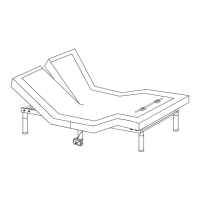

 To Next Page