6. Open four windows in PRA
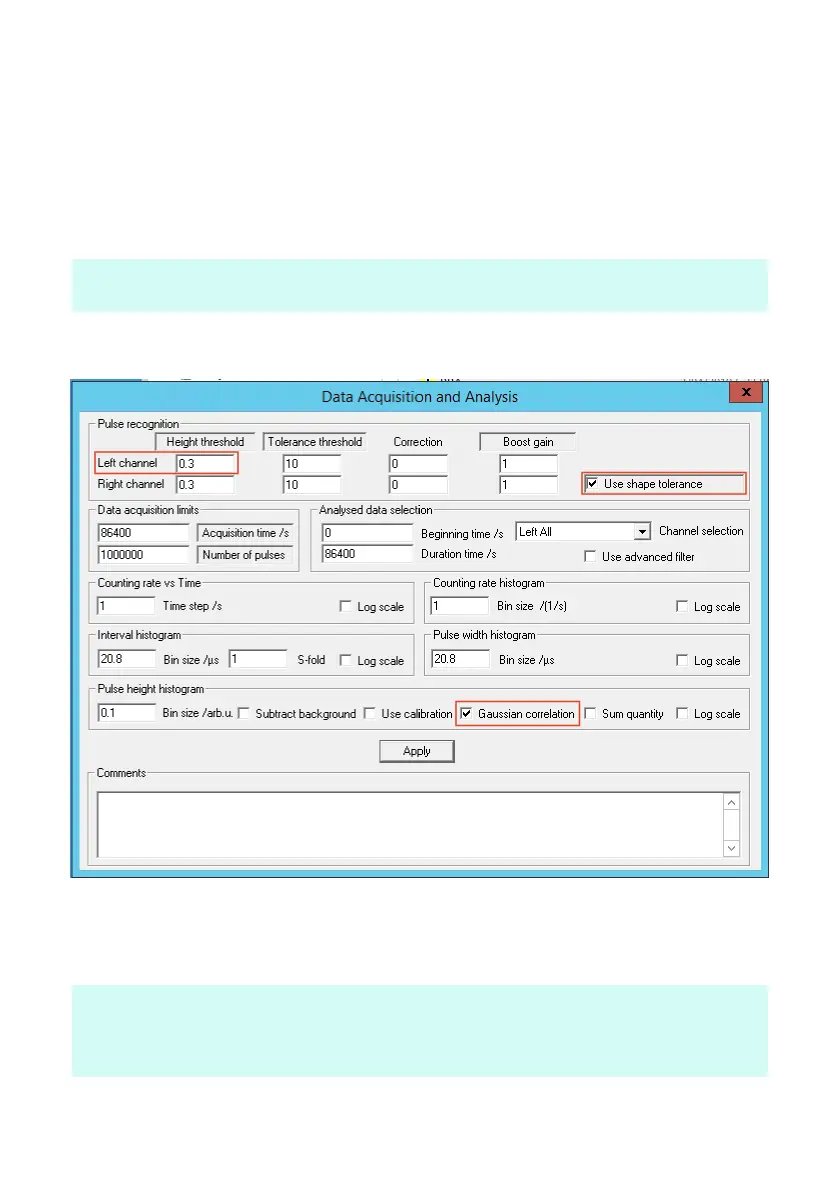
1. Settings >> Data acquisition and analysis (DAA)
2. View >> Counting rate vs time
3. View >> Pulse height Histogram
4. View >> Audio input
note: The audio input window vertical scale is -100 to +100 arbitrary units,
this corresponds to the full dynamic 16 bit range of the sound card
5. In the DAA window check default settings below.
6. Go to Action >> Start pulse shape acquisition, the left channel
pulse trace should now be visible in the Audio Input window.
observe: Are pulses positive or negative ?
If negative, go back to step 5 and change the Pulse height threshold to a
negative number


 To Next Page
 Loading...