Functions
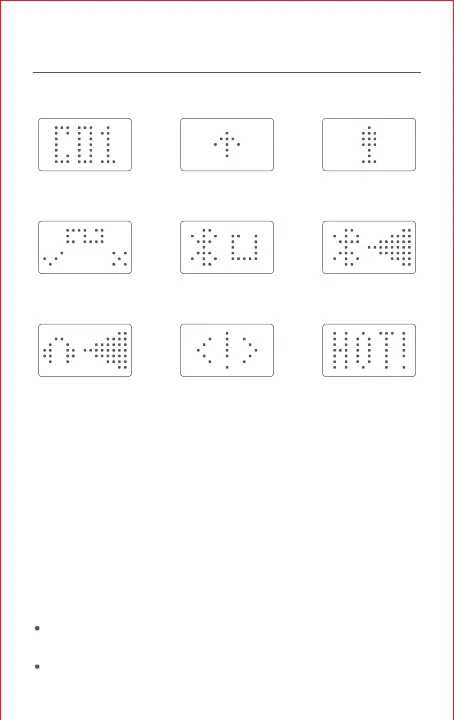
Icon Description
Channel Firmware updating Hands-free
communication enabled
App connection
request received
Bluetooth scanning Bluetooth headset
volume display
Line-in earphone
volume display
Transmission
restricted
Transmission
timed out
Connecting Ring Controller
When your walkie-talkie is on, press and hold the pairing button of
ring controller for 2s, to turn on the Bluetooth pairing feature, the
led will flash red & blue.
Then the ring controller will scan and automatically connect to the
nearby LITO device that is awaiting connection with the strongest
signal.
Note:
When LITO is connected to the APP, the ring controller can not
find it, please disconnect the APP first.
The ring controller don’t need power off.



 To Next Page