M8
User Manual
3
* Accessories and appearance are subject to change without prior notice
2. Getting Started
2.1 Basic Operations
2.1.1 Power On/ Off and Sleep
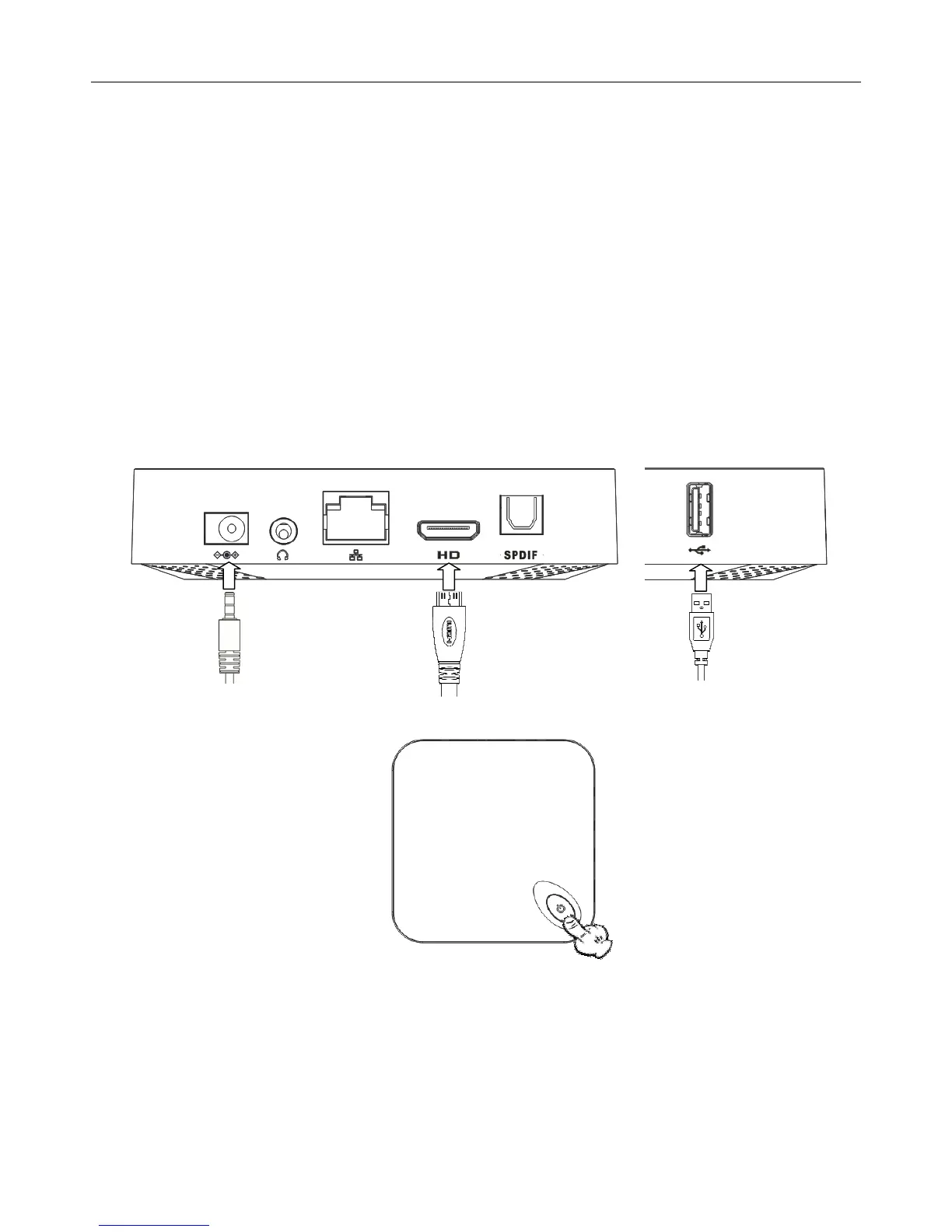
1. Connect the MXⅢ to the TV with HDMI cable, connect MXⅢ to the power adaptor,
Connect
mouse, air mouse or other input devices with USB port
2. Press power button to start MXⅢ, power LED turns into blue
3. Under the power on mode, long press power button over 10 seconds to power off the device,
Power LED turns off
4. Under power on mode, press remote control’s power button, device is entering into sleep
mode. Power LED turns into red
5. Under sleep mode, device will be wake when you press remote control’s power button,


 To Next Page