EasyManua.ls Logo

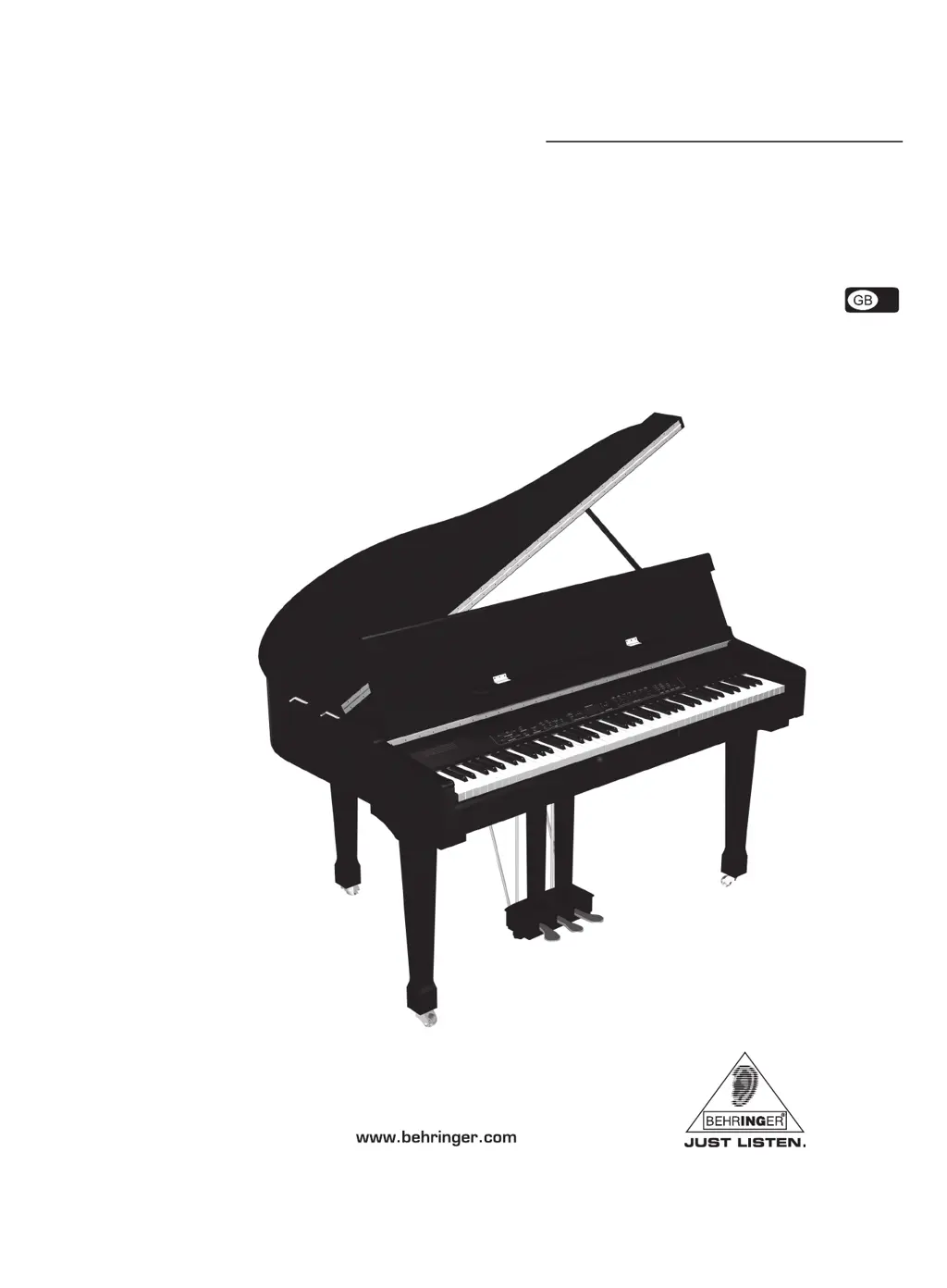
Behringer EUROGRAND EG8080 - User Manual

Behringer EUROGRAND EG8080
32 pages
Print Icon
To Next Page IconTo Next Page
Loading...
Version 1.1 August 2006
User’s manual
K1800FX
EUROGRAND
EG8080-BK

Table of Contents

Questions and Answers

  • T
    teresa80Sep 8, 2025
    What does 'FUL' on the display of Behringer EUROGRAND EG8080 Musical Instrument mean?
    • A
      Alvin SotoSep 9, 2025
      The memory of the music sequencer on your Behringer Musical Instrument is full. If you do not want to erase/re-record your recording, be sure to save the recorded song via MIDI to a music computer before you start a new recording.
  • M
    Mark WhiteAug 23, 2025
    How to fix distorted audio signal on Behringer Musical Instrument?
    • A
      Angela JacksonAug 23, 2025
      If the audio signal from your Behringer Musical Instrument is distorted, reduce the volume using the MAIN VOLUME control.
  • Y
    Yolanda NelsonAug 25, 2025
    How to troubleshoot if Behringer EUROGRAND EG8080 cannot be switched on?
    • S
      Shawn ParkerAug 25, 2025
      If your Behringer Musical Instrument cannot be switched on, check the connection between the mains plug and the wall outlet.
  • M
    Michael BlackburnAug 26, 2025
    Why is the effect not audible on my Behringer EUROGRAND EG8080?
    • E
      Elizabeth HarrisAug 27, 2025
      If the effect on your Behringer Musical Instrument is not audible, it's possible that no effect has been selected, or its intensity is too low. Check that the REVERB and EFFECT LEDs are lit and select an appropriate effect intensity.
  • S
    Susan LewisAug 27, 2025
    Why does the piano sound strange on my Behringer EUROGRAND EG8080?
    • K
      Kristen JohnsonAug 27, 2025
      If the piano sound on your Behringer Musical Instrument sounds strange, check whether one of the LEDs above the EFFECT button is lit, indicating that a modulation effect is active. If so, press the button until all LEDs are off, meaning no effect is active. Also, check if you have selected two sounds at the same time. If so, press one of the sound buttons in the SOUND SELECT section to select a single sound.
  • J
    Justin HartSep 22, 2025
    What does ERR on the display of my Behringer EUROGRAND EG8080 Musical Instrument mean?
    • A
      April RobinsonSep 22, 2025
      An internal error has occurred on your Behringer Musical Instrument. Switch the instrument off, wait for about 30 seconds, then switch it back on. If the error message shows again, no answer.
  • N
    Nicole BridgesSep 16, 2025
    Why EG8080 Behringer EUROGRAND EG8080 does not transmit MIDI data via MIDI OUT?
    • J
      Joseph RogersSep 16, 2025
      Set the transmit channel, on which the EG8080 is to send MIDI data, in the EDIT menu E7.1. Note that demo and music sequencer data are not transmitted via MIDI.
  • A
    Amy SmithSep 18, 2025
    Why EG8080 Behringer Musical Instrument does not respond to all MIDI commands?
    • D
      Deborah SmithSep 18, 2025
      The EG8080 Behringer Musical Instrument supports only those commands listed in the MIDI Implementation Chart. Also, be sure that the device sending MIDI data and the EG8080 do not have a MIDI filter activated.
  • L
    Lawrence WebbSep 7, 2025
    Why the left foot pedal has no effect on my Behringer EUROGRAND EG8080 Musical Instrument?
    • C
      Cheryl GordonSep 7, 2025
      If the left foot pedal has no effect on your Behringer Musical Instrument, check in EDIT menu E4.1 that the soft pedal function is enabled.
  • J
    Justin ReyesSep 4, 2025
    Why music sequencer or DEMO mode cannot be selected on Behringer EUROGRAND EG8080?
    • A
      April SheltonSep 4, 2025
      DEMO mode must not be active when you switch to music sequencer mode on your Behringer Musical Instrument. Conversely, the music sequencer must be off before you can switch to DEMO mode.

Summary

Important Safety Instructions

General Safety Guidelines

Essential safety precautions for instrument operation, including usage rules.

Hazard Warnings and Symbols

Critical warnings about electrical hazards, fire risks, and important symbol meanings.

1. Introduction

3. Quick Start

Power On;Off Procedure

Instructions for safely connecting and switching the instrument on and off.

4. Control Elements and Connections

Control Panel Overview

Detailed description of the EG8080's main control panel and its functions.

Connectors and Ports

Explanation of all input and output jacks on the instrument.

5. Basic Operation

6. Advanced Operation

Using EDIT Mode

Accessing and adjusting advanced instrument parameters.

Music Sequencer Operation

Recording, editing, and playback of musical sequences.

7. Connection to External Equipment

Connecting External Sound Sources

Linking external audio devices like CD players or synths.

Connecting Amplifiers and Recorders

Outputting audio to external sound systems or recording devices.

MIDI Functions Overview

Understanding and utilizing MIDI for data communication.

8. Troubleshooting

Problem and Solution Guide

Common issues and their remedies for the EG8080.

11. Warranty

Behringer EUROGRAND EG8080 Specifications

General IconGeneral
BrandBehringer
ModelEUROGRAND EG8080
CategoryMusical Instrument
LanguageEnglish

Related product manuals