EasyManua.ls Logo

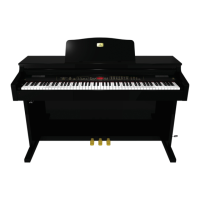
Behringer Concert CDP2000-BK - User Manual

Behringer Concert CDP2000-BK
28 pages
Print Icon
To Next Page IconTo Next Page
Loading...
CONCERT CDP2000-BK
User manual
A50-A0933-00001

Table of Contents

Questions and Answers

  • E
    Edward LoweSep 4, 2025
    Why hasn't the music sequencer stored the entire recording on my Behringer Concert CDP2000-BK?
    • M
      Melissa CamachoSep 4, 2025
      The music sequencer is limited in its capacity (approximately 10,000 notes). When the memory is full, all further data will be lost. Play only as many notes as the sequencer can store before the display starts flashing, signaling that the memory is full.
  • T
    Timothy BurgessSep 18, 2025
    What does ERR mean on my Behringer Concert CDP2000-BK display?
    • V
      Victor BrownSep 18, 2025
      An internal error has occurred. Switch the instrument off, wait for about 30 seconds, then switch it back on. If the error message shows again, please contact your BEHRINGER support desk. Further information can be found at: www.behringer.com.
  • A
    Amber HallSep 16, 2025
    Why doesn't the Behringer Musical Instrument respond to all MIDI commands?
    • K
      Kristina SmithSep 16, 2025
      The piano supports only those commands listed in the MIDI Implementation Chart. Also, be sure that the device sending MIDI data and the piano do not have a MIDI filter activated.
  • R
    rickybaldwinSep 14, 2025
    Why doesn't the Behringer Concert CDP2000-BK transmit MIDI data via MIDI OUT?
    • A
      Aaron AlexanderSep 14, 2025
      Set the transmit channel, on which the piano is to send MIDI data, in the EDIT menu E7.1. Demo and music sequencer data are not transmitted via MIDI.
  • J
    Jeremy MillsSep 12, 2025
    Why doesn't the Behringer Concert CDP2000-BK play back notes received via MIDI IN?
    • M
      Mary ReedSep 12, 2025
      Set the receive channel, on which the piano is to receive MIDI data, in the EDIT menu E7.2.
  • S
    Sydney MoralesSep 12, 2025
    Why when the Behringer Concert CDP2000-BK is switched off all settings are lost?
    • J
      Jordan MillerSep 12, 2025
      When first switched on, the piano always uses the default settings. To save your personal settings please set the memory function.
  • B
    Brandon FosterSep 9, 2025
    How to fix Behringer Concert CDP2000-BK Musical Instrument tuning that doesn't match other instruments?
    • E
      Emily AllenSep 9, 2025
      Check the settings in the EDIT menus E1 and E2.1 and adjust them if necessary. Standard setting: 440 Hz, equal tuning.
  • C
    Cindy GuzmanSep 7, 2025
    Why does the music piece recorded on the music sequencer play back too slow/fast on my Behringer Concert CDP2000-BK?
    • D
      Derek MaxwellSep 7, 2025
      The playback tempo of the music sequencer follows the current tempo setting. Press the SELECT button until the TEMPO LED lights up, then simultaneously press the two < > buttons to play back the recording at its original tempo.
  • T
    Tiffany DouglasSep 5, 2025
    What does FUL mean on my Behringer Musical Instrument display?
    • V
      Valerie NicholsonSep 5, 2025
      The memory of the music sequencer is full. If you do not want to erase/re-record your recording, be sure to save the recorded song via MIDI to a music computer before you start a new recording.
  • J
    Julie JohnstonAug 21, 2025
    Why is there no sound coming from my Behringer Concert CDP2000-BK Musical Instrument?
    • M
      Meghan WilliamsAug 21, 2025
      If you're not getting any sound from your Behringer Musical Instrument, verify the position of the MAIN VOLUME control. Also, check the SPEAKER button status and make sure that the sound generator is switched on.

Summary

Important Safety Instructions

General Safety Warnings and Handling

Covers reading instructions, heed warnings, general handling, accessories, and servicing.

Environmental and Electrical Safety

Guidelines for safe operation regarding water, heat, ventilation, and electrical connections.

Introduction and Initial Setup

Shipment, Operation, and Registration

Covers unpacking, initial operation checks, and online product registration.

Quick Start Guide

Powering On;Off and Volume Adjustment

Instructions for powering the digital piano on/off and adjusting the main volume.

Control Panel Layout

Main Controls: Volume, Speakers, Brightness, Demo

Description of main volume, speaker switch, brightness control, and demo button.

Sequencer, Metronome, Tempo, and Edit Mode

Details on sequencer, metronome, tempo, edit mode, and display controls.

Connectors and Power Supply

Audio, MIDI Ports, and Power

Details on LINE OUT, LINE IN, MIDI connectors, and power supply connection.

Foot Pedals and Headphones

Information on the three foot pedals and headphone jacks.

Changing Sound Character

Headphone Usage and Advanced Operation

Entering and Navigating EDIT Mode

Step-by-step guide to enter EDIT mode for advanced functions.

Advanced Layer Mode Functions

Advanced Layer and Metronome Settings

Music Sequencer: Recording Pieces

Recording Music Tracks and Data

Step-by-step guide for recording music pieces using the built-in sequencer.

Music Sequencer: Playback and Editing

Editing Recorded Tracks and Playback Modes

How to edit recorded tracks and play back recorded music.

Music Sequencer Practice Tools

Editing Sequencer Settings

System Settings: Key Velocity

Adjusting Key Velocity for Volume

Setting key velocity to control sound volume based on playing force.

System Settings: Pedal Intensity and Tuning

System Settings: Saving and Restoring Defaults

Saving and Restoring Parameters

How to save custom settings and restore factory defaults.

Connecting External Equipment

MIDI Functions Overview

MIDI Connectivity to Computers

Advanced MIDI Configuration

Troubleshooting Common Issues

Power, Sound, and Pedal Issues

Solutions for problems with instrument power, sound output, and pedal functionality.

Effects, Mode, and Sequencer Problems

Troubleshooting issues with effects, mode selection, and sequencer operation.

Tuning, Velocity, MIDI, and Display Errors

Resolving problems related to tuning, key velocity, MIDI communication, and display errors.

Technical Specifications

Warranty Information and Legal Notices

Behringer Concert CDP2000-BK Specifications

General IconGeneral
TypeDigital Piano
Number of Keys88
Key ActionHammer Action
Touch SensitivityYes
EffectsReverb, Chorus
Demo SongsYes
MetronomeYes
TransposeYes
TuningYes
DisplayLCD
Headphone Outputs2
Power SupplyAC Adapter
ColorBlack
TonesPiano, Electric Piano, Strings, Organ
Pedals3 (Sustain, Sostenuto, Soft)
ConnectivityUSB, MIDI

Related product manuals