6
TABLE OF CONTENT
1. INTRODUCTION..................................................................................................................... 7
1.1 Technical background...................................................................................................................... 7
1.1.1 Reverberation chambers ........................................................................................................ 8
1.1.2 Spring and plate reverb.......................................................................................................... 9
1.1.3 Digital reverb ......................................................................................................................... 9
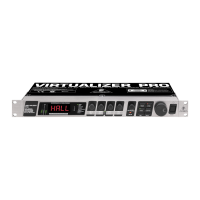
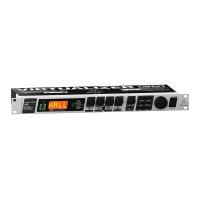
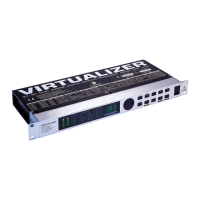
1.2 The VIRTUALIZER - concise description ....................................................................................... 10
2. THE CONCEPT .................................................................................................................... 11
2.1 The quality of components and circuits .......................................................................................... 11
2.2 True stereo or stereo effects on a mono input signal?..................................................................... 11
3. INSTALLATION ..................................................................................................................... 12
3.1 Rack mounting .............................................................................................................................. 12
3.2 Mains voltage ................................................................................................................................12
3.3 Audio connections ........................................................................................................................ 12
3.4 Selecting the operating level.......................................................................................................... 13
4. CONTROL ELEMENTS ....................................................................................................... 14
4.1 Front panel control elements ......................................................................................................... 14
4.1.1 Key combinations ............................................................................................................... 15
4.2 Rear panel control elements.......................................................................................................... 16
5. THE EFFECT ALGORITHMS ............................................................................................... 17
6. OPERATION .......................................................................................................................... 20
6.1 Effects structure............................................................................................................................ 20
6.2 Selecting presets .......................................................................................................................... 20
6.3 Editing programs ........................................................................................................................... 21
6.4 Saving programs ........................................................................................................................... 21
6.5 MIDI control................................................................................................................................... 21
6.6 The basics of digital signal processing .......................................................................................... 23
7. APPLICATIONS ..................................................................................................................... 25
7.1 Level setting .................................................................................................................................. 25
7.2 Using the VIRTUALIZER in the aux bus ........................................................................................ 25
7.3 Using the VIRTUALIZER in the insert path .................................................................................... 26
7.4 Using the VIRTUALIZER as an effects device for instruments ........................................................ 27
7.5 Using the VIRTUALIZER in a MIDI system .................................................................................... 28
7.6 Saving data via MIDI ...................................................................................................................... 28
8. SPECIFICATIONS ................................................................................................................. 29
8.1 Parameter overview ........................................................................................................................ 29
8.2 MIDI Implementation....................................................................................................................... 30
8.3 Specifications ................................................................................................................................ 31
9. WARRANTY ........................................................................................................................... 32








 To Next Page