15 / EN
Steam Iron / User Manual
2 Operaton
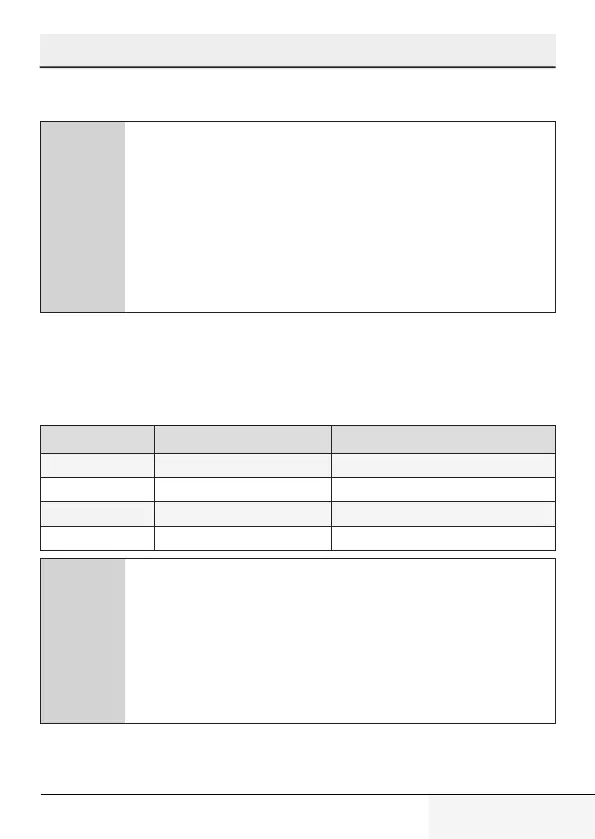
2.4 Settng the temperature
C
• After the applance s plugged n, set the temperature
accordng to the type of your fabrc by turnng the
temperature adjustment knob (5) n clockwse drecton
(see. 2.5).
- Thermostat ndcator lght (4) wll lght up.
• When the applance reaches the set temperature,
thermostat ndcator lght (4) wll turn off and the
applance s ready to use.
2.5 Temperature and steam settngs table
When setting the temperature of the appliance, consider the following
table.
Fabric Type Temperature control Temperautre requirement
Silk
• Low temperature
Wool
•• Medium temperature
Cotton, linen
••• High temperature
Linen - Jean
Max High temperature
C
• If you don’t know the fabrc of your garment, frst ron an
nvsble part of your garment and determne a correct
ronng temperature for t.
• In order to prevent the brght stans that may form on the
synthetc fabrcs such as slk, ron on the reverse sde of
the fabrc. Do not use the water sprayng feature n order
to prevent the stan formaton.


 To Next Page